
Runway: AI video generation, footage editing and creative agents
Runway
Runway creates AI video from prompts and images, edits footage with Aleph and assembles clips in Agent. Explore its features, pricing and alternatives.
Bring ideas to life with the best AI video generators and editing tools. Create footage from a prompt, animate a still image, produce presenter-led videos or turn recordings into finished clips with tools including Runway, Kling, HeyGen and Descript.
Runway creates AI video from prompts and images, edits footage with Aleph and assembles clips in Agent. Explore its features, pricing and alternatives.

Firefly adds video generation to its creative toolset, with plan-specific credits and production features.

Create AI video with Google Flow’s Veo and Gemini Omni models. Explore image generation, scene editing, pricing and alternatives.

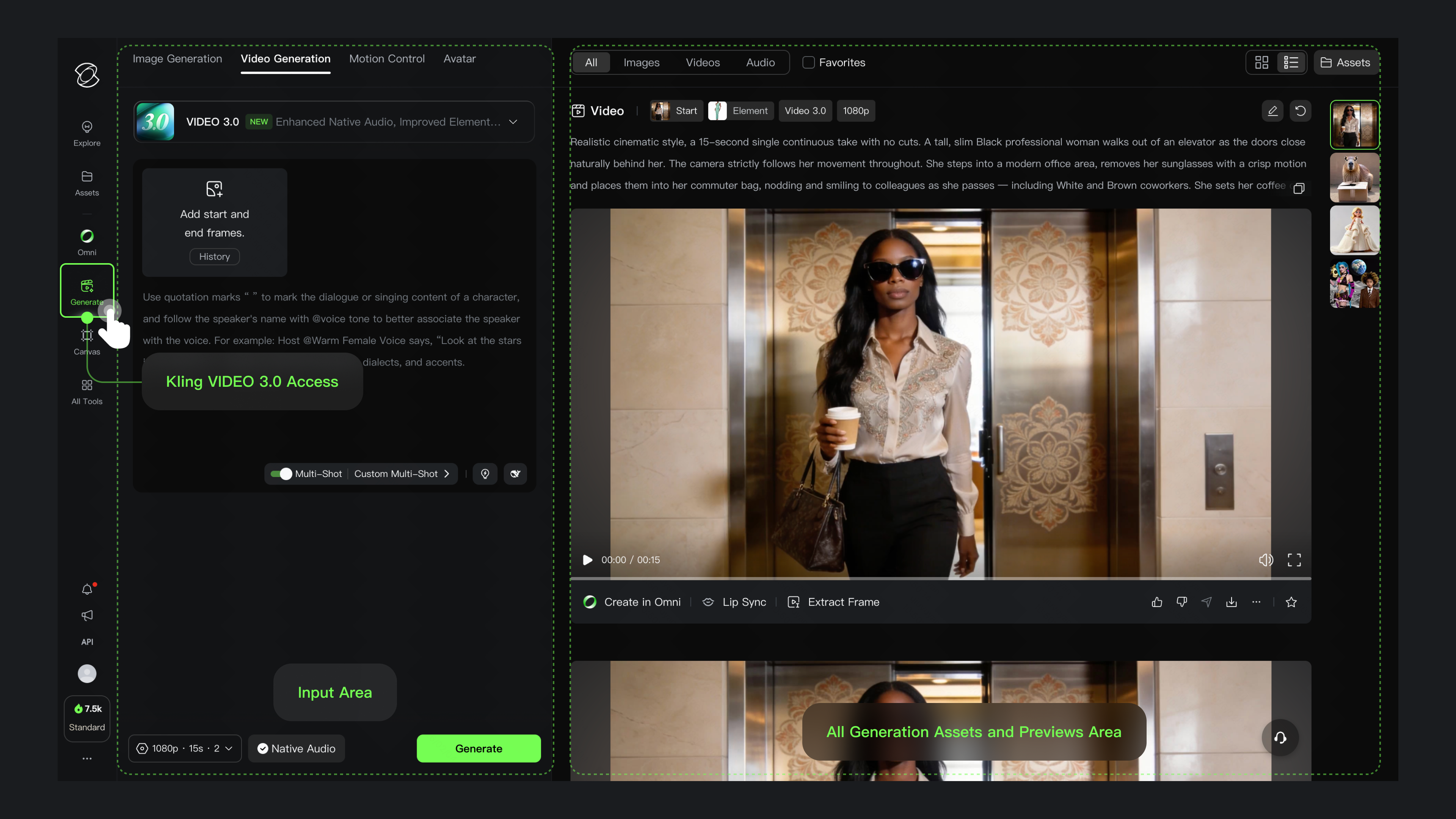
Kling AI turns prompts and reference images into video with sound, multi-shot scenes and motion controls. Explore its features, pricing and alternatives.

Create and edit AI video with Luma’s Ray3.2, creative agents and frame controls. Explore Dream Machine’s successor, pricing and alternatives.

Create AI videos, animate photos and remix footage with Pika. Explore Pika 2.5, keyframes, audio tools, current pricing and alternatives.
Create avatar videos and translate existing footage with HeyGen. Explore Avatar IV and V, Video Agent, editing, pricing and team features.
Create AI avatar videos for training, onboarding and explainers with Synthesia. Explore its editor, Syren video agent, pricing and alternatives.

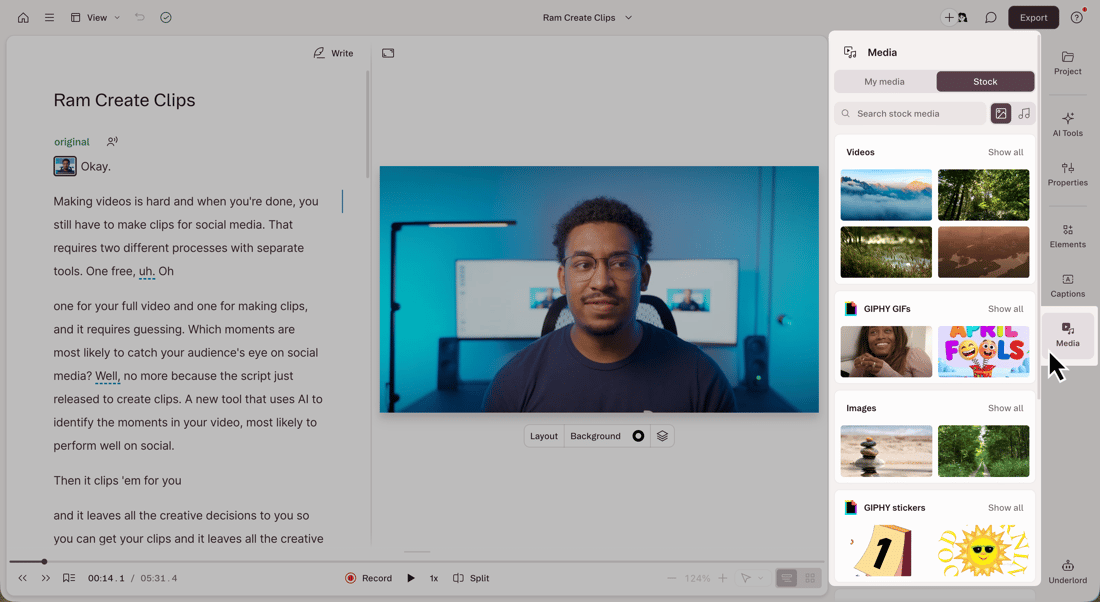
Descript edits recorded video and audio through a linked transcript. Its editor brings together captions, voice cleanup, screen recording and AI-assisted production, with an API for automated projects.
Edit social videos, add automatic captions and create AI scenes with CapCut. Explore its web, desktop and mobile editors, Pro plans and alternatives.
Runway and Kling create new footage from text and reference images. Runway combines its own and partner models with tools for changing backgrounds, relighting scenes and adding or removing objects in existing clips. Kling adds start and end frames, subject references and multi-shot controls, with native audio on supported models. These generators produce individual shots that can become B-roll, product films, animations or parts of a longer edit.
Google Flow uses frames and visual references to build scenes around characters, objects and locations. Start and end images define a transition, while reference ingredients carry visual details into another clip. Luma Dream Machine adds keyframe direction, video modification and motion transfer through its Ray models. These controls give creators more ways to shape a shot than a text prompt alone; their availability depends on the selected model and service.
Pika turns prompts and photos into short videos and connects ordered still images through generated motion. Pika 2.5 supports both a single-shot path and a keyframe sequence, with duration and resolution depending on the input. Its own renders are silent; Pika Soundtrack adds audio afterward. Pika also hosts other video models and tools for extending clips or transferring motion, making it useful for animations, social clips and variations on a visual idea.
HeyGen and Synthesia combine scripts, AI presenters and scene editing for courses, explainers and business communication. HeyGen offers digital avatars, a script-based studio and translation of existing videos with voice and lip-sync features. Synthesia turns scripts, documents or presentations into editable scenes and adds avatar narration, branding and localisation. Both also offer generated footage, so a presenter-led video can include custom B-roll alongside its narration.
Descript links a recording to its transcript: deleting words edits the video, while additional tools remove filler words, clean up speech and create shorter clips. Its Underlord assistant adds AI editing alongside manual controls. CapCut combines a timeline editor with captions, background removal, effects and export settings for social videos. These editors can work with footage you already have, whether it came from a camera, screen recording or AI generator.
Adobe Firefly brings text-to-video and image-to-video generation into a workspace with Adobe and partner models. Its video editor can trim and reorder clips, refine timing and add voiceovers, music or sound effects. Firefly therefore covers both generating a new shot and assembling the surrounding edit. Model access, credit costs and commercial-use terms depend on the generation route; Adobe’s terms for its own model do not automatically apply to every partner model.
A free account does not always include free video generation. Google Flow includes a daily credit allowance, with video availability restricted for non-subscribers during peak hours. Runway offers a one-time allowance for selected tools, while broader video-model access requires a paid plan. Pika’s free account has no recurring monthly credits and uses purchased packs; its Free and Starter tiers exclude a commercial licence. Generation costs can also change with the model, clip length, resolution or audio, so equal credit counts do not buy equal amounts of video.

Turn a webinar, interview or other long recording into short clips. OpusClip selects moments, reframes them for social feeds and adds captions.
The strongest choice depends on the video you want to make. Runway, Kling, Google Flow and Luma focus on generated footage and shot controls. HeyGen and Synthesia combine AI presenters with scripts and scene editing. Descript and CapCut add editing tools for existing recordings. Several platforms now combine these features, with different model access and allowances.
Yes. Runway, Kling, Google Flow, Luma, Pika and Adobe Firefly support image-based video creation. A still image supplies the starting composition, while a prompt or additional frames guide motion. Start and end frames or multi-keyframe sequences are available in selected tools and models.
Google Flow provides daily credits, subject to generation availability and model costs. Runway has a one-time free allowance for selected creative tools. Free account access, downloadable output, commercial rights and recurring credits are separate benefits: Pika’s free account has no monthly credit allowance and excludes a commercial licence.
Some do. Kling supports native audio on selected models, and Runway includes models with generated dialogue and music. Other models produce silent footage: Pika 2.5 needs a separate audio track or Pika Soundtrack. Avatar platforms add spoken narration, while editors can combine footage with voiceovers, music and effects.
HeyGen and Synthesia combine scripts, presenters, scene layouts and narration for multi-scene videos. They also offer generated B-roll. A cinematic generator typically creates individual shots; a longer film can involve several generations and a separate assembly or editing stage.
Generation creates footage from a prompt, image or other references. Editing changes a recording or assembles clips with audio, captions and effects. Descript edits recorded speech through its transcript, while Runway and Luma can transform existing footage with generative tools. Adobe Firefly and other platforms include both generation and editing.
Commercial rights depend on the product, model and subscription. Pika excludes a commercial licence from its Free and Starter tiers, for example. Permission to use generated output does not grant rights to someone else’s likeness, music, logo or uploaded footage. Partner models within the same platform may have different terms.
Create artwork, campaign graphics and new visual concepts with AI image generators. Discover leading tools for text-to-image creation, reference-based images, photo editing and design assets, including Midjourney, Adobe Firefly and Ideogram.
AI design tools turn ideas into social graphics, brand assets, infographics and interface designs. Canva and Adobe Express combine templates with visual editing; Kittl adds typography and vector tools; Figma, Uizard and Google Stitch focus on product interfaces. Explore the leading platforms below, from everyday content creation to specialist design software.
AI presentation tools turn prompts, outlines and existing documents into slides you can refine and present. Explore dedicated deck makers, PowerPoint and Google Slides assistants, collaborative editors and visual storytelling platforms. The leading options below cover business reports, pitch decks, lessons and branded presentations, with different routes for editing, sharing and export.
Turn a description, photo or piece of concept art into a 3D model. Explore AI tools for creating meshes, adding textures, animating characters and preparing assets for games, product previews and 3D printing.
Convert, edit and prepare files with our own browser utilities.