

OpusClip
Make short clips from long recordings
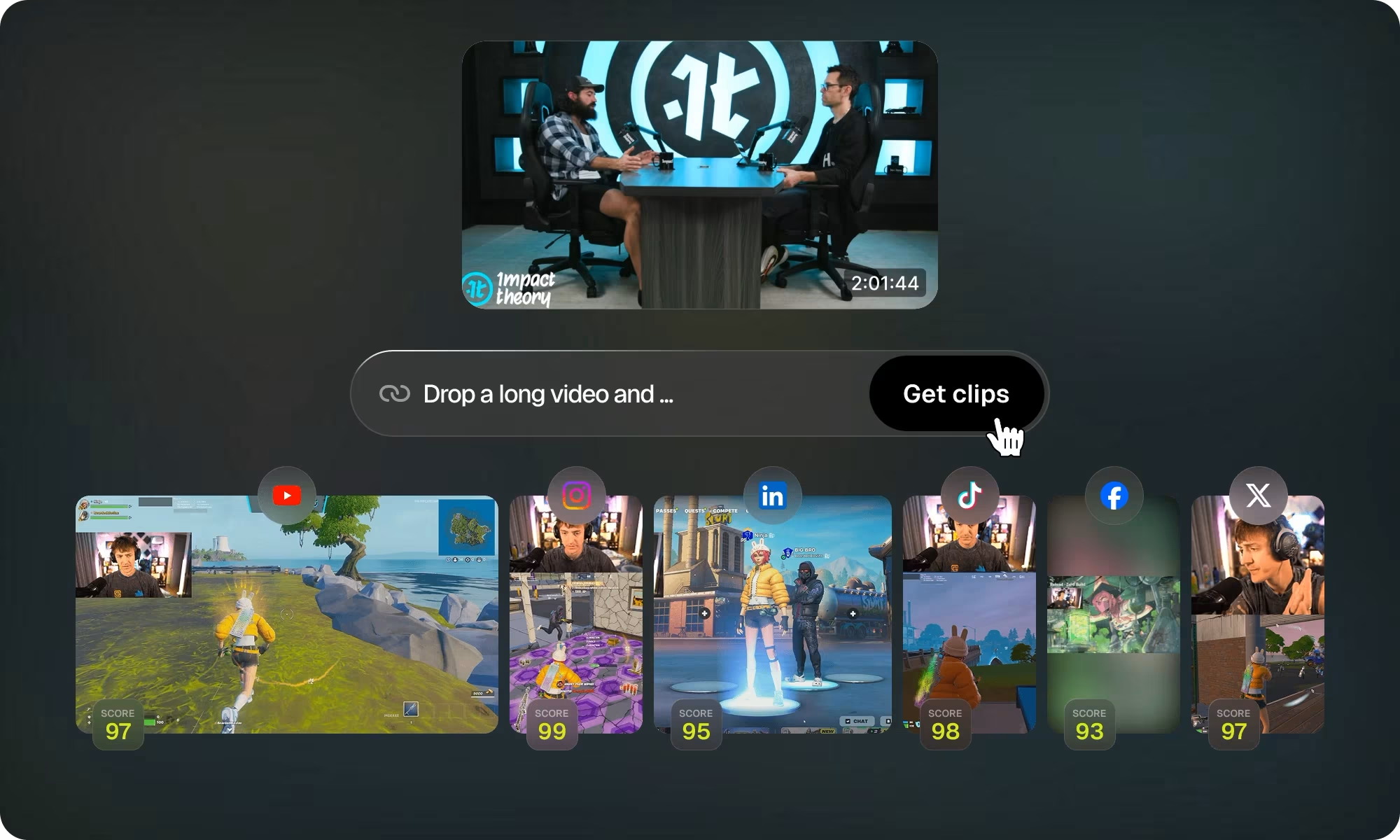
Turn a webinar, interview or other long recording into short clips. OpusClip selects moments, reframes them for social feeds and adds captions.
Free plan availableAccount required
- Access
- Free and paid plans
- Example plan
- USD 15 / monthStarter — monthly
- Available on
- Web, API
What is OpusClip?
OpusClip finds short excerpts in existing videos, reframes them and adds captions. It suits recorded podcasts, interviews and webinars that need social clips, with the original footage as the starting point.
Paid editing tools add refinements such as filler and silence removal, brand templates and publishing to connected social channels. Pro adds multiple aspect ratios, scheduling and handoff to Premiere Pro or DaVinci Resolve.
Review the excerpt in context
Choose the source, clipping timeframe and desired duration, then check the suggested beginning and ending. A short answer can lose an important qualification when detached from the full recording. Review captions, names, framing and source rights before publishing. Any displayed Virality Score is a product suggestion, not a guarantee of views.
Continue the edit in a production tool
Pro XML export includes a folder with XML, SRT subtitles, source video segments and instructions for Premiere Pro or DaVinci Resolve. Keep the media with the project and inspect the imported timeline. Generated visual treatments may not become equally editable native effects in the destination editor.
Free clips have an export window
The free plan includes sixty monthly credits, watermarked clips and rendering up to 1080p. Editing is excluded, and clips stop being exportable after three days. A generated preview is therefore time-limited rather than a permanent editable project.
Best for
- Repurposing recorded podcasts and webinars
- Repeatable captions and branding for social clips
- Pro exports for further timeline editing
Limitations
Free clips are watermarked, cannot be edited and stop being exportable after three days. Credit consumption and import sources depend on the operation and plan. A Virality Score does not guarantee audience results.
OpusClip features
AI clip suggestions
Find shorter excerpts within a supplied long video for repurposing.
Automatic reframing and captions
Adapt supported footage for social formats and add animated captions.
Paid editing and branding
Starter adds editing, a brand template, filler/silence removal and watermark-free output.
Pro production handoff
Pro lists multiple aspect ratios, scheduling and Premiere Pro/DaVinci Resolve exports.
Clip brief and editorial review
Choose a timeframe and clip length, then check the excerpt’s context, captions and framing before publishing. Suggested scores are not audience forecasts.
XML and subtitle handoff
Pro export includes an XML project, SRT and source segments for supported professional editors. Review the imported media and treatment in the destination.
OpusClip pricing
Free includes 60 credits per month. Starter is USD 15 monthly with 150 monthly credits. Pro is USD 29 monthly or USD 174 billed annually, advertised as USD 14.50 per month; it includes 300 credits per month and two seats. Do not treat the annual equivalent as a monthly charge. The pricing page lists two-month rollover for Pro credits; verify operation-specific credit costs.
Example plans.
Starter — monthly
USD 15 / month
OpusClip
Plan details
150 credits each month; includes editing and watermark removal.
Technical specifications
Video creation
| Feature | OpusClip |
|---|---|
| Generation or editing workflow | Repurpose existing long videos into shorter clips with captions and reframing.Clip creation from existing footage |
| Editing and captions | Free has no editing; Starter adds an editor and filler/silence removal; Pro adds production-editor exports.Free/Starter/Pro |
| Watermarks and usage rights | Free output carries a watermark and is not exportable after three days; Starter removes the watermark. Source rights remain the user’s responsibility.Watermark and export window; not a blanket commercial licence |
OpusClip alternatives
Choose the workflow that matches the material you want to create or capture.
Descript
Descript suits restructuring the full spoken recording through a transcript and timeline before selecting excerpts.
CapCut
CapCut suits hands-on effects and clip assembly when manual social editing forms most of the work.
Runway
Runway suits newly generated or transformed footage, a different starting point from clipping an existing interview or webinar.
OpusClip FAQs
Does OpusClip generate a whole video from scratch?
Its core clipping workflow repurposes supplied long footage into shorter clips. The source recording is the starting point.
Can I export free OpusClip clips later?
Free clips stop being exportable after three days. The free plan also adds a watermark and does not include editing.
How much is OpusClip Pro?
The pricing page lists USD 29 monthly or USD 174 paid annually. The annual offer is displayed as USD 14.50 per month but is charged as an annual amount.
Does the Virality Score guarantee views?
No. Treat it as a selection aid. Actual audience response depends on the content, distribution and other factors.
What is included in an OpusClip XML export?
The vendor describes an XML file, SRT subtitles, original video segments and instructions. Pro supports the Premiere Pro and DaVinci Resolve workflow. Keep the associated media with the exported project and inspect its imported timeline.
Can I choose a section rather than clip the whole source?
The clipping controls include a source timeframe and clip-length choices. Set those around the passage you actually want to repurpose, then review the generated excerpt so shortening it does not change the meaning.
Does the subscription price describe the cost of every workflow?
Plans include different credit balances and operations. Check the selected operation and remaining credits before processing; a monthly credit total is not a promise of a fixed number of finished clips.
When should I use a full editor instead?
Use a full editor when the main task is constructing the story, revising the whole recording or controlling a complex timeline. OpusClip is most useful when a long recording already exists and finding/reformatting excerpts is the repeated job.
Explore related AI tools
Is this your product? Claim this page to update your listing.