

Meshy: AI 3D models, PBR textures and character animation
Meshy
Explore Meshy’s AI 3D models, PBR textures, rigging and printing tools, with free downloads, paid plans, API credits and alternatives explained.
Turn a description, photo or piece of concept art into a 3D model. Explore AI tools for creating meshes, adding textures, animating characters and preparing assets for games, product previews and 3D printing.
Explore Meshy’s AI 3D models, PBR textures, rigging and printing tools, with free downloads, paid plans, API credits and alternatives explained.

Explore Tripo’s AI 3D models, Smart Mesh topology, PBR textures and character animation, with Studio plans, API pricing and alternatives explained.

Explore Rodin by Hyper3D for AI 3D models, quad meshes and PBR textures, with current plans, export formats, API access and alternatives explained.

Explore Tencent Hunyuan3D for text and image-to-3D assets, with multiview inputs, PBR materials, cloud API pricing, local models and alternatives.

Explore 3D AI Studio’s model engines, remeshing, textures, character animation and print exports, with current plans, API credits and alternatives.

Explore Kaedim’s AI and artist-assisted 3D production, from references to geometry, materials and rigs, with custom pricing and alternatives explained.

Explore Sloyd’s AI 3D models and editable templates, with character animation, export formats, current pricing and commercial-use limits explained.

Explore Alpha3D’s AI model generation, retopology, UVs, texturing and humanoid rigging, with paid plans, Alphred and shared API credits explained.
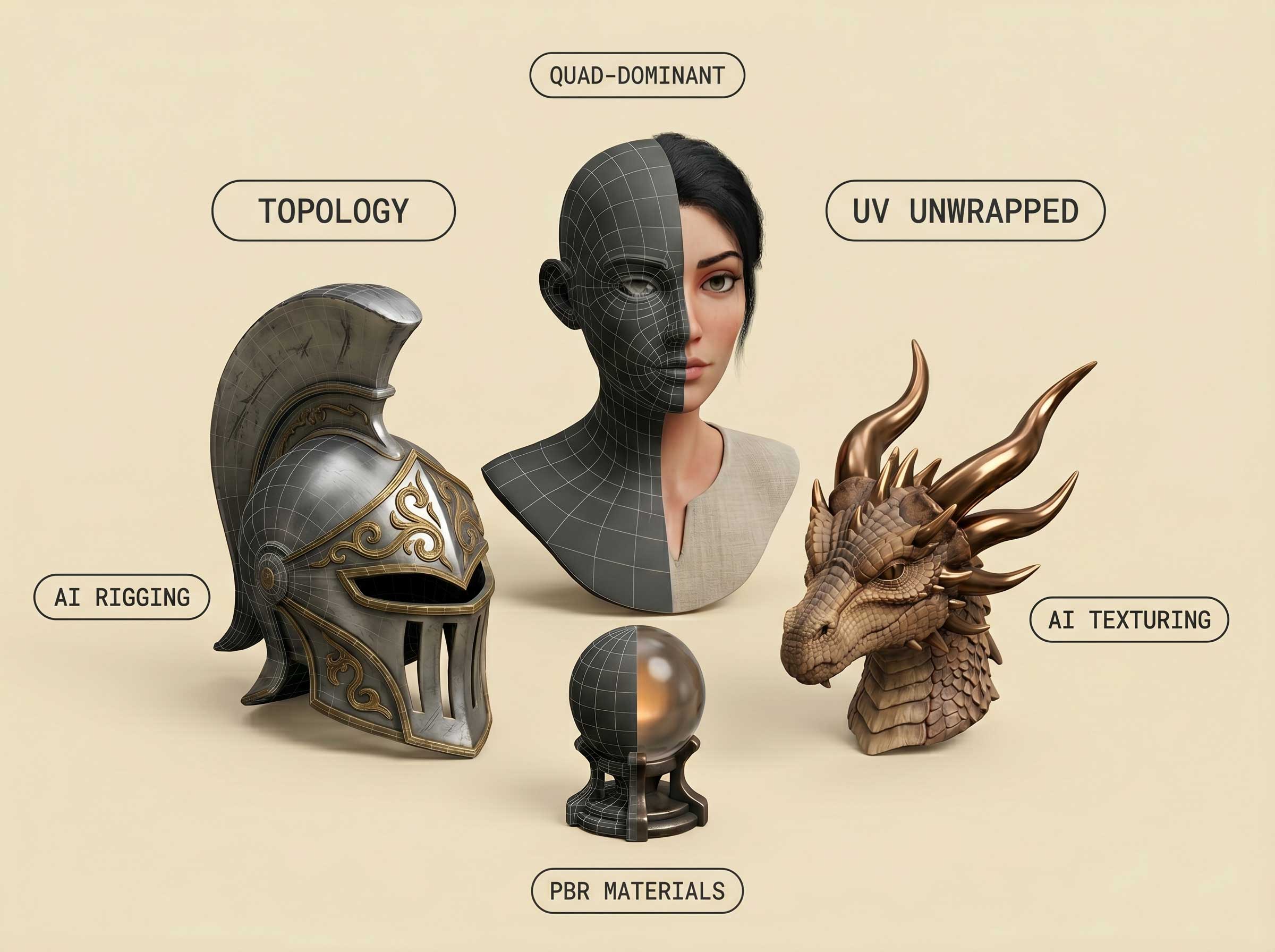
Meshy combines model generation with PBR texturing, low-poly controls and character rigging. It accepts a text prompt or reference image, and its printing tools include a printability check, repair and part splitting. Tripo covers text, single-image and multi-view generation, with separate tools for texturing, segmentation, retopology, UVs and animation. Its developer platform exposes these operations through an API. Both belong in a 3D asset toolkit; the final mesh still needs to suit the game, scene or physical object it will become.
Rodin by Hyper3D generates models from text or images, with optional additional views and spatial controls using bounding boxes, voxels and point clouds. Partial editing and low-poly tools offer ways to refine the result. Exports include STL, FBX, OBJ, GLB, GLTF and USDZ. Rodin lets you preview generation before confirming credit spend; the free route has limits on exports and workspace features. Creator adds broader production tools, while Business includes full API access.
Sloyd brings text and image generation together with a parametric template editor. Templates provide adjustable objects; generated models extend the range beyond that library. Character rigging, animation, skyboxes and a scene editor support game creation, while topology controls set polygon counts and triangle or quad output. Paid plans include unlimited generation for specified tools under fair-use conditions. Multi-image generation, part splitting and other advanced operations use separate monthly credits. Guest access previews generation and downloads community models; Plus includes commercial use, and marketplace reselling requires Pro.
3D AI Studio combines its Prism models with engines including Meshy, Tripo, Rodin and Hunyuan. It offers text and image generation, PBR texturing, quad remeshing and levels of detail, plus dimension and pivot controls. Its Flow editor connects creative steps in reusable node-based pipelines. Supported downloads include FBX, GLB, OBJ, STL, 3MF, USDZ and BLEND; available formats and operations depend on the chosen tool. Premium models, multi-image generation and team features have different plan requirements. An aggregator’s credit allowance is separate from a direct subscription to one of its engines.
Kaedim takes sketches, reference packs, product photos, briefs and art direction into a studio production process. Teams inspect assets, mark up changes, compare revisions and approve the result. Its focus spans game assets, product design concepts and product CGI. This makes it a distinct option for a team commissioning and reviewing assets, alongside the self-service generators on this page. Delivery times and production scope belong to the project agreement; a promotional speed claim is not a guarantee for every asset.
Tencent’s Hunyuan3D includes a downloadable model route as well as a hosted service. The 2.1 release separates image-to-shape generation from PBR texture generation and publishes model weights and training code. Its repository lists 10 GB VRAM for shape generation, 21 GB for textures and 29 GB for the combined pipeline. These figures apply to that release. The Hunyuan3D 2.1 Community License excludes the EU, UK and South Korea and includes an additional licensing requirement for organisations meeting its one-million monthly-active-user condition at release. Hosted services and other model versions have their own access and terms.
Alpha3D combines model generation with retopology, UV unwrapping, PBR texturing and rigging. Its Alphred agent, node-based tools, Blender add-on and API connect creation with further mesh work. This is useful coverage for artists starting from an existing asset as well as a new description or reference image. Pipeline operations have individual credit costs, and feature access depends on the plan. The Alpha3D review explains the toolset and its licensing conditions; current offers are available on the vendor’s website.
A textured model for a game and an STL for printing serve different purposes. FBX and GLB can carry materials or animation into compatible software; STL carries geometry for a slicer. Meshy and Sloyd provide printing tools, but scale, wall thickness, supports and the slicer’s result still matter for a physical print. Commercial use also differs from selling the asset itself. Meshy’s free outputs use CC BY 4.0 with attribution; Sloyd’s Guest licence is personal use, and its paid plans separate commercial use from marketplace reselling. An export format alone does not establish manufacturing accuracy or usage rights.
WorldEngen describes a desktop AI copilot for scene work connected to Blender, Unity and Unreal. Its advertised trial currently has unconfirmed availability. The earlier Masterpiece X web generator is a separate legacy product.
WorldEngen by Masterpiece X review →Cube by CSM is covered as an earlier 3D generation and refinement product. Current standalone access and subscription availability are unconfirmed.
Cube by CSM review →Meshy and Tripo cover text and image generation alongside further asset tools. Rodin adds spatial controls and partial editing; Sloyd combines generation with templates and animation; 3D AI Studio brings several engines into one account. Kaedim serves studio production, and Hunyuan3D offers a downloadable model route under version-specific terms.
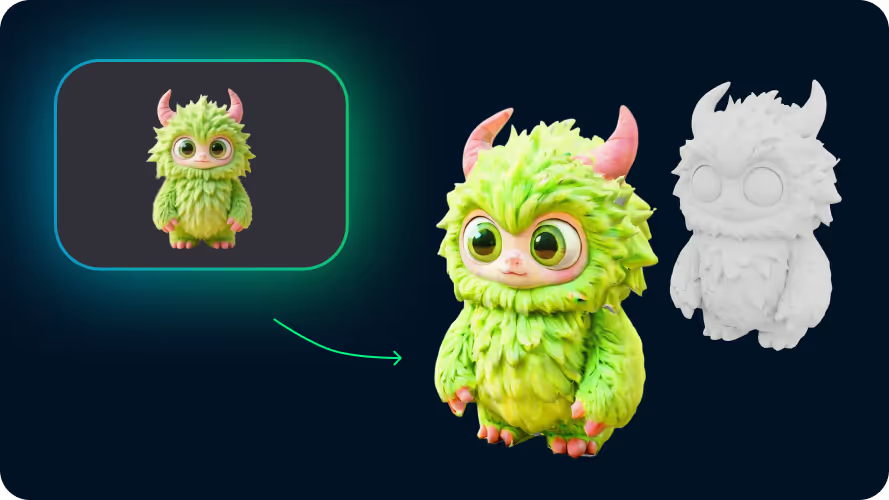
Meshy, Tripo, Rodin, Sloyd and 3D AI Studio support image-to-3D generation. Some routes also accept multiple views. A single image cannot show every hidden surface, so generated geometry may need editing before it represents the object accurately.
Meshy has a free plan with monthly credits, Rodin offers previews before paid confirmation, and Sloyd has daily Guest generation. Free generation does not necessarily include unrestricted downloads or commercial rights. Hunyuan3D’s downloadable models also require your own compute and compliance with the licence for the chosen version.
Common exports such as FBX, GLB and OBJ work with compatible 3D software. Several products also offer plugins. Materials, rigging, scale and polygon budgets need to match the receiving application; an available export is not a guarantee that every asset is ready for a finished game.
Tools including Meshy and Sloyd provide print-focused features and geometry exports. A printable object still needs suitable dimensions, wall thickness and supports. A colour texture does not automatically become a multicolour print, and a visual mesh is not the same as a dimensionally specified CAD part.
Meshy and Sloyd include character rigging and animation tools. Tripo’s developer platform has rig checks, automatic rigging and animation retargeting. Supported character types, operations, exports and plan limits differ across the products.
Rights depend on the product, plan, input material and intended use. Meshy’s free-plan outputs require attribution under CC BY 4.0. Sloyd separates personal use, paid commercial use and marketplace reselling. Hunyuan3D 2.1 has territory and organisation-size conditions. The product reviews cover relevant restrictions.
Hosted generators use subscriptions, credits or pay-per-result access. Sloyd separates unlimited specified web tools from credit-based advanced tasks and prepaid API usage; Rodin confirms credit spend after a preview. Studio production and self-hosted models have different costs. Individual reviews show dated plan examples and link to current pricing.
Create artwork, campaign graphics and new visual concepts with AI image generators. Discover leading tools for text-to-image creation, reference-based images, photo editing and design assets, including Midjourney, Adobe Firefly and Ideogram.
Bring ideas to life with the best AI video generators and editing tools. Create footage from a prompt, animate a still image, produce presenter-led videos or turn recordings into finished clips with tools including Runway, Kling, HeyGen and Descript.
AI design tools turn ideas into social graphics, brand assets, infographics and interface designs. Canva and Adobe Express combine templates with visual editing; Kittl adds typography and vector tools; Figma, Uizard and Google Stitch focus on product interfaces. Explore the leading platforms below, from everyday content creation to specialist design software.
AI presentation tools turn prompts, outlines and existing documents into slides you can refine and present. Explore dedicated deck makers, PowerPoint and Google Slides assistants, collaborative editors and visual storytelling platforms. The leading options below cover business reports, pitch decks, lessons and branded presentations, with different routes for editing, sharing and export.
Convert, edit and prepare files with our own browser utilities.