
AudioPen
Turn spoken thoughts into written drafts
Speak a rough idea, choose a writing style and keep a polished draft beside the original transcript. AudioPen focuses on personal voice notes and dictation.
Free plan availableAccount required
- Access
- Free and paid plans
- Example plan
- USD 99 / yearPrime — one-year web pass
- Available on
- Web, Desktop, Mobile
What is AudioPen?
AudioPen transcribes your speech and rewrites it as a note, email or another chosen style. Keep a close transcript when the original wording matters, or use more rewriting to turn a rough thought into a shareable draft.
It also supports voice typing into other applications. Its saved-note workflow goes further: Prime adds audio imports, longer notes, restyling and SuperSummaries that combine earlier notes.
Choose the right level of rewriting
A cleaned transcript preserves a different kind of detail from a short email or bullet-point summary. Adjust the rewrite level to the intended document, then compare the result with the saved transcript for names, numbers and commitments. Output-language settings can turn speech in one language into writing in another.
Local transcription, connected rewriting
Supported native apps offer on-device transcription, while rewriting still needs a connection. The browser app and Chrome extension use cloud transcription. A desktop hotkey, mobile keyboard or Android bubble can insert spoken text into the active field; the available route depends on the device.
Use saved notes beyond the app
Zapier and webhooks can send note data onward after saving. Prime also provides read-only MCP access for compatible assistants such as ChatGPT and Claude, allowing retrieval without permission to change or delete notes.
AudioPen centres on personal thoughts. It does not join meetings or identify participants, so speaker attribution and a shared conversation archive call for a meeting-focused product.
Best for
- Drafting emails and notes from personal speech
- Combining saved voice notes into longer writing
- Native transcription with connected AI rewriting
Limitations
AudioPen does not join meetings or label speakers. Free recordings stop at three minutes; Prime recordings allow fifteen minutes. Web and extension transcription and all AI rewriting require a connection.
AudioPen features
Transcript and rewritten draft
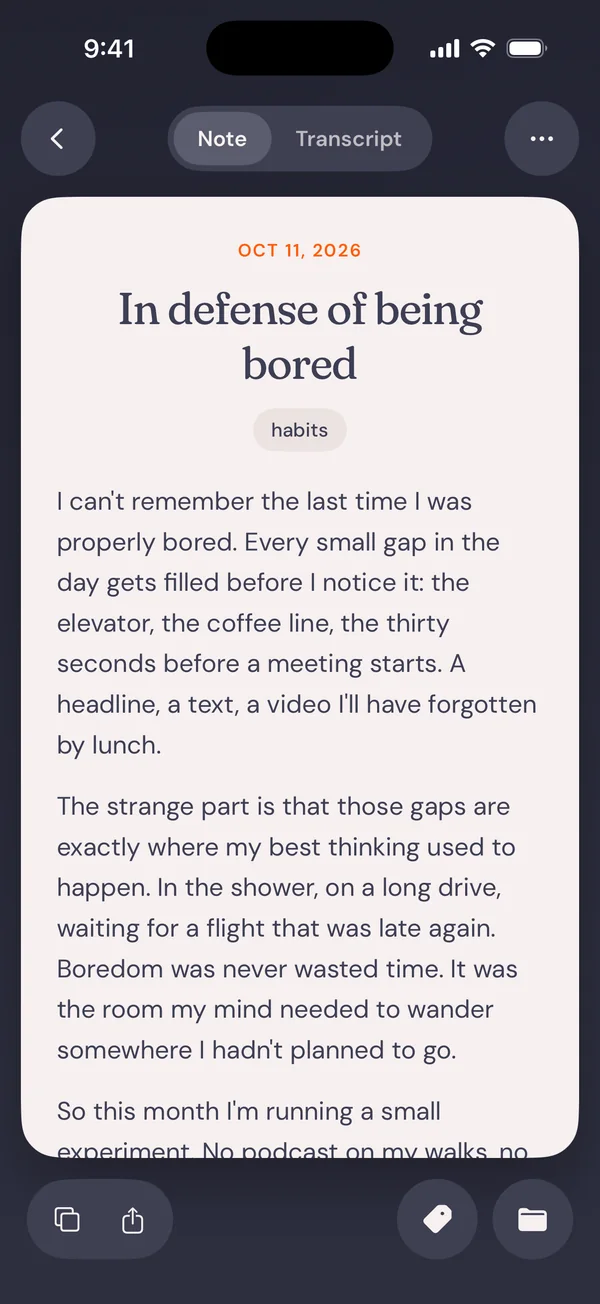
Keep the original transcript and choose a writing style and rewrite level for the finished note.
Voice typing across apps
Use supported desktop and mobile controls to dictate where you normally type.
A library of spoken ideas
Prime adds longer recordings, audio uploads, saved-note restyling and SuperSummaries.
Local transcription option
Supported native apps offer on-device transcription; rewriting remains a cloud operation.
Rewrite level and output language
Choose how much the draft departs from the transcript, set a writing style and select an output language. Review the resulting meaning before sending.
Notes in a larger workflow
Use Zapier/webhooks to route saved notes, or Prime read-only MCP access to retrieve notes from a compatible AI assistant.
AudioPen pricing
Free includes three-minute recordings and limited voice-typing sessions. Web Prime passes cost USD 33 for three months, USD 99 for one year or USD 159 for two years; these are upfront pass prices, not monthly charges. Prime adds unlimited recordings up to fifteen minutes and audio uploads up to 100 MB, with 100 uploads every four weeks. App-store prices can differ.
Example plans.
Prime — one-year web pass
USD 99 / year
AudioPen Prime
Billed annually.
Plan details
USD 99 paid upfront for one year. App-store pricing can differ.
Technical specifications
Transcription and meetings
| Feature | AudioPen |
|---|---|
| File and meeting capture | Personal voice notes and cross-app dictation; Prime adds existing-audio uploads.Free/Prime; surface-specific capture |
| Speaker-label workflow | No meeting joining or speaker labels in the personal-note workflow.Personal voice notes |
| Recording and usage limits | Three-minute Free recordings; fifteen-minute Prime recordings; Prime uploads up to 100 MB and 100 files every four weeks.Free versus Prime |
AudioPen alternatives
Choose the workflow that matches the material you want to create or capture.
Wispr Flow
Wispr Flow suits frequent dictation into active applications. Compare its cloud processing with AudioPen’s native transcription and saved-note rewriting.
Otter.ai
Otter.ai suits speaker-labelled conversations and shared meeting records, where AudioPen centres on personal spoken notes.
Notta
Notta suits recorded-file transcription when a reviewable transcript matters more than restyling a personal thought.
AudioPen FAQs
Does AudioPen record meetings automatically?
No. Its personal-note workflow does not join a meeting or label speakers. Choose a meeting notetaker for a multi-speaker call.
Can AudioPen work offline?
Supported native apps offer offline transcription. AI rewriting needs a connection, and browser and extension transcription runs in the cloud.
Is AudioPen Prime a monthly subscription?
The web offers prepaid passes: USD 33 for three months, USD 99 for a year and USD 159 for two years. The monthly equivalents are comparisons, not monthly payment amounts.
Can I import an existing voice memo?
Prime supports audio uploads up to 100 MB each, with 100 uploads every four weeks. It can transcribe and rewrite the imported recording.
Can I keep the original transcript instead of a rewrite?
Yes. The original transcript remains alongside the rewritten note. Choose the rewrite level and compare the two when exact wording, names or commitments matter; a polished draft is not a verbatim record.
Can AudioPen write in a different language from the recording?
Yes. The output-language setting can differ from the spoken language. Review the translated draft before using it; this is a writing workflow rather than a guarantee of professional translation.
What can an assistant do through AudioPen MCP?
Prime MCP gives compatible assistants read-only access to saved notes. They can retrieve the notes for a response but cannot create, edit or delete notes through that connection. The assistant service has its own access and subscription requirements.
What happens to saved notes when Prime ends?
AudioPen says notes saved during Prime remain yours after the pass ends. Prime-only actions and limits are separate from ownership of existing notes. Keep copies of important writing in the destination where you normally work.
Explore related AI tools
Is this your product? Claim this page to update your listing.