

Reflect
Reflect: connected notes in local Markdown files, with optional AI
Reflect Open is a personal note-taking app for Mac, iPhone and iPad. Daily notes and backlinks connect ideas in plain Markdown files, with optional AI answers, writing help and transcription using your own provider keys.
Free plan availableAccount optional
- Access
- Free and paid plans
- Available on
- Desktop, Mobile
Linked daily notes with files you can keep and control
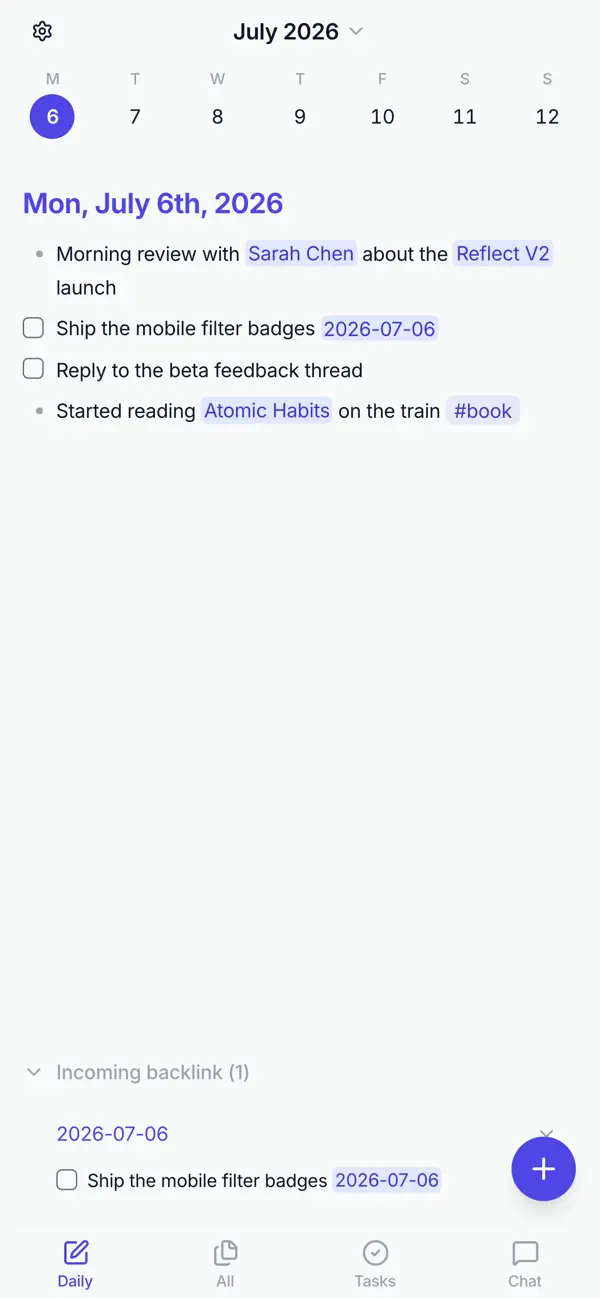
Reflect Open centres on a folder of Markdown files. It opens to a daily note, connects entries through wiki links and backlinks, and provides local full-text search. Notes remain usable outside the app, so the collection can be backed up, inspected or edited with other Markdown tools.
Optional AI can answer questions using source-linked notes, summarise text and help revise writing. You supply your own API key; requests go directly to the chosen provider and usage charges are separate. Voice memos likewise require a configured transcription provider. Optional semantic search computes embeddings on the device.
The privacy model distinguishes local files, AI processing and backup. Notes marked private are excluded from AI tools that read the graph, although content manually pasted into a chat is still sent with the message. Git backup includes private notes in the repository you control. iCloud or a configured Git remote can sync the files; neither is required for local note-taking.
Reflect Open is distinct from Reflect Classic, which the company says is still maintained. Mac access is free, while iPhone and iPad use a paid subscription. The current project documentation describes the Open app as beta. Its Apple-focused release does not establish Windows or Android support.
Best for
- People building a personal collection of linked notes
- Mac users who want portable files and local search
- Writers and researchers adding optional AI to their own knowledge
Limitations
Optional AI and transcription require your own provider keys and incur separate charges. Local storage does not make an AI request local. The private-note flag does not exclude notes from your configured backup or protect content manually pasted into chat. Reflect Open and Classic have different subscriptions.
Reflect features
Daily notes and backlinks
Capture the day’s ideas and connect people, topics and projects through linked notes.
Plain Markdown files
Keep notes in a folder that other editors and backup tools can read.
Local search
Search text, tags and backlinks, with optional on-device semantic retrieval.
AI answers from your notes
Use your own provider key for answers that link to supporting notes.
Voice and browser capture
Record audio memos and save selected Chrome content into your notes.
Choice of sync
Use iCloud Drive or a Git repository under your control.
Reflect pricing
Free plan available. Plans and included features vary. Visit Reflect for full plan details and current offers.
Technical specifications
Productivity and knowledge
| Feature | Reflect |
|---|---|
| Workspace workflow | Daily notes, backlinks, local search and optional AI assistance.Current Open app is described as beta |
| Connected knowledge | A user-selected folder of Markdown notes; optional audio and browser captures.Optional services configured separately |
| Permission and sharing controls | Private-note content is excluded from AI note tools; manual chat pastes and configured backup follow separate rules.Private flag is not an encryption or backup-exclusion guarantee |
| Editable outputs | Markdown notes, linked answers, revised text and transcribed voice memos.AI and transcription require provider setup |
| Workspace integrations | iCloud Drive or Git sync; bring-your-own-key AI providers and Chrome capture.Mac, iPhone and iPad; no Windows/Android availability inferred |
Reflect alternatives
Mem adds a proactive personal agent to cloud notes. Notion offers collaborative documents and databases, while Glean specialises in company-wide knowledge retrieval.
Reflect FAQs
Is Reflect Open the same as Reflect Classic?
No. Reflect Open uses local Markdown files and optional provider-key AI. Classic remains maintained, with a separate subscription and migration path.
Does Reflect Open require an account?
No Reflect account is required. Optional AI providers and sync services have their own accounts and setup.
Where are my notes stored?
Notes live in a folder you choose as Markdown files, with a local search index. You can optionally sync through iCloud Drive or Git.
Is Reflect AI included for free?
AI is optional and uses your own provider API key. Provider usage is charged separately from any mobile subscription.
Are private notes excluded from backup?
No. The private flag blocks AI access to note content, while Git backup includes the whole graph in your repository. Content manually pasted into chat is outside that protection.
Does Reflect Open support Windows and Android?
The current official project focuses on Mac, iPhone and iPad. Windows and Android are described as out of scope.
Is this your product? Claim this page to update your listing.