
Notion
Notion review: AI features, pricing and alternatives
Notion brings AI writing, meeting notes and agents to shared documents and databases. Explore its features, Business plan pricing and alternatives.
Free plan availableAccount required
- Access
- Free and paid plans
- Example plan
- EUR 9.5 / user / monthPlus
- Available on
- Web, Desktop, Mobile, API
A connected workspace for documents, projects and AI
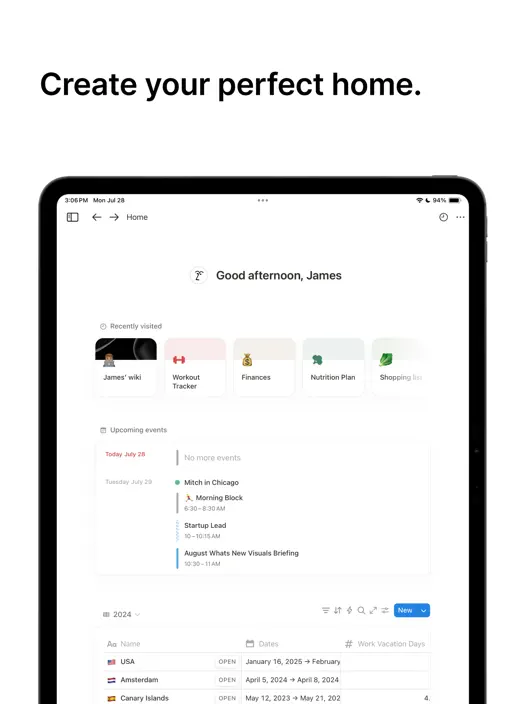
Notion is a flexible workspace for documents, company wikis, projects and structured databases. Pages hold the writing and context, while database views organize records into tables, boards, calendars and other layouts. AI works alongside that information rather than in a separate blank chat: it can revise a draft, summarize a project or help turn scattered notes into an editable page. The strongest reason to choose it is having the knowledge and the resulting work in one place.
Notion Agent is the personal assistant inside that workspace. It can create and edit pages, build databases and views, search accessible content and work with uploaded documents. It can also produce downloadable spreadsheets, slide decks, PDFs and documents. Its Notion access follows the user’s permissions. That does not make it a full workspace administrator: changing page sharing, creating database automations and adding advanced properties such as rollups or buttons remain outside its capabilities.
Instructions give the personal Agent ongoing preferences, while skills provide reusable methods for particular tasks. A skill is a Notion page that can describe a recap format, editing standard or document template. Shared skills let colleagues use the same approach, and edits to a shared skill affect its users. Automatic selection requires a described skill in a skills database; it can be switched off for skills that should run only when requested.
Enterprise Search brings together accessible Notion content and supported AI Connectors, including Slack, Google Drive, GitHub and Microsoft services. Answers cite their sources. Connector setup can require administrators in both services, and newly connected information needs time to index. Research Mode extends that work into reports using selected workspace material and the web. Search coverage still depends on the sources and permissions available to the person asking.
Connected actions go further than searching. Personal Slack, Gmail and calendar connections can support actions in those services, with feature-specific approval controls. MCP connections let the personal Agent use tools exposed by supported external apps, such as looking up a design or creating a GitHub issue. Each person authenticates their own MCP connections; admins can restrict servers, and those connections are not inherited by Custom Agents. New MCP connections are available on web and desktop rather than mobile.
AI Meeting Notes transcribes conversations and keeps summaries and action items with the relevant project documents. It works online and has a separate limit of ten recording hours per user per day. Participants must consent to transcription. The resulting notes inherit the permissions of their Notion page, which matters when a meeting contains confidential information. It is useful for teams that want the recap beside the work that follows.
Custom Agents handle recurring work such as reports, feedback triage and database updates. They run from schedules and supported Notion or Slack events, using the pages, databases and connections granted to that particular agent. Activity logs show runs and actions, and version history restores previous configurations. Their permissions are independent of the person interacting with them: a shared agent can provide answers from a source that the recipient cannot access directly.
The workspace subscription and AI credits cover different things. Business and Enterprise include core AI with rolling six-hour and monthly allowances. When an allowance runs out, affected features normally wait for the window to refresh; admins can enable credit spending for additional use. Premium models require credits independently of those allowances, while Custom Agents draw from a shared workspace credit pool. Agent frequency, model choice and the amount of work influence that additional spend.
Notion is a strong fit for teams whose documents, project records and meeting notes already belong together. ClickUp offers a more task-centered workspace, Glean focuses on company knowledge search across enterprise systems, and Mem provides a focused AI notes experience. Notion’s flexibility also means someone has to maintain the page and database structure. The AI can assist with that work, but it does not replace clear ownership or permission settings.
Best for
- Teams building a shared wiki and project workspace
- Businesses searching documents and connected company knowledge
- Notion users turning meeting notes into project updates
Limitations
Ongoing core AI requires Business or Enterprise and has usage allowances. Custom Agents and premium models can add credit charges. Shared Custom Agents have their own access, so their answers may expose information a recipient cannot open directly. Meeting transcription requires participant consent and an internet connection. Personal Agent cannot change page sharing or create advanced database properties such as rollups and buttons.
Notion features
Documents and project databases
Keep wikis, drafts and project records together, with database views for different ways of organizing the same information.
Personal Notion Agent
Create and edit pages, work with accessible databases and uploaded files, and generate documents or spreadsheets from chat.
Reusable skills
Save repeatable writing and document formats as Notion pages that you or your team can use with the Agent.
Connected knowledge search
Get cited answers from accessible workspace content and supported AI Connectors across company tools.
Research Mode
Bring selected workspace sources and web information into an editable research report.
AI Meeting Notes
Transcribe meetings online and keep summaries and action items alongside project information, with participant consent.
Custom Agents
Run recurring reports, triage and database work from schedules or supported events, with separate access and credit usage.
Connected app actions
Use supported personal integrations and MCP tools to work across apps, with account permissions and configurable approval controls.
Notion pricing
Notion has a free workspace plan, while Free and Plus include a limited AI trial. Business and Enterprise include core AI with usage allowances. The EUR website shows Plus at €9.50 and Business at €19.50 per member per month with annual billing; these are annual subscription equivalents. Enterprise pricing is custom. Custom Agents use a shared workspace credit balance, advertised at $10 per 1,000 monthly credits. Premium models and admin-enabled AI usage beyond the allowance also spend credits. Regional, monthly and mobile-store prices can differ.
Example plans.
Plus
EUR 9.5 / user / month
Regional website workspace subscription
Plan details
Monthly equivalent with annual billing. Limited AI trial; collaboration features, not ongoing full AI access.
Business
EUR 19.5 / user / month
Regional website workspace subscription
Plan details
Monthly equivalent with annual billing. Core AI with usage allowances; Custom Agents, premium models and extra AI usage have separate credit terms.
Technical specifications
Productivity and knowledge
| Feature | Notion |
|---|---|
| Workspace workflow | Documents, projects and databases with personal Agent tasks, skills, connected search, Research Mode and meeting notes. Custom Agents automate recurring work.Core AI on Business/Enterprise; limited Free/Plus trial |
| Connected knowledge | Accessible Notion pages, indexed AI Connectors, uploaded files and selected web sources. Search answers cite sources; indexing is not immediate.Business/Enterprise AI Connectors; app-specific permissions |
| Permission and sharing controls | Personal Agent follows user access. Custom Agents have independent access and can share answers from otherwise inaccessible sources; notes follow page sharing.User access differs from shared Custom Agent permissions |
| Editable outputs | Editable pages, databases, reports and meeting transcripts; personal Agent can generate spreadsheets, slide decks, PDFs and documents. Advanced database properties are restricted.Feature-specific outputs; personal Agent limits apply |
| Workspace integrations | Search connectors and supported personal Slack/Gmail/calendar actions; personal MCP tools authenticate per user and are separate from Custom Agent connections.Personal MCP on Business/Enterprise, web/desktop; admin controls |
Notion alternatives
Explore workspaces for task management, company knowledge and AI-assisted notes.
Notion FAQs
Is Notion free, and does the free plan include AI?
Notion offers a free workspace plan. Free and Plus include a limited AI trial, rather than ongoing full core AI access. Business and Enterprise include core AI with usage allowances. Custom Agents and premium models use additional credits.
How much does Notion cost?
The EUR website shows Plus at €9.50 and Business at €19.50 per member per month with annual billing. Those figures are monthly equivalents of annual subscriptions. Enterprise pricing is custom, and regional, monthly and mobile-store rates can differ. Custom Agent credits are an additional cost.
What is the difference between Notion Agent and Custom Agents?
Notion Agent responds to your requests and uses your own Notion access. Custom Agents are shared automations with their own instructions, triggers, connections and permissions. They can run in the background from schedules or supported events and spend shared workspace credits.
Is Notion AI unlimited on Business?
Core AI has rolling six-hour and monthly usage allowances. Affected features normally pause until the allowance refreshes, unless an admin enables credit spending for additional use. Premium models require credits separately. AI Meeting Notes has its own daily recording limit, and Custom Agents are credit-based.
Can Notion AI work with Slack, Gmail and other apps?
AI Connectors search supported external content, while personal integrations and MCP connections can also perform supported app actions. MCP connections belong to the authenticated user and can require approval before tools run. Admins can restrict servers. Custom Agents need their own connections rather than inheriting the personal Agent’s.
How do Notion AI skills work?
Skills are Notion pages containing a reusable method or format. You can run one from chat or supported editor menus, and share it with colleagues. Automatic use requires a skill description in a skills database and can be disabled. Persistent Agent instructions apply more broadly to your conversations.
Does Notion AI respect private workspace information?
The personal Agent and search follow the user’s source permissions. Custom Agents have their own access, and sharing one can let someone receive answers from material they cannot open directly. Notion states that customer data is not used for model training by default. Provider retention depends on the plan and enabled features; it is not a universal zero-retention guarantee.
What are the best Notion alternatives?
ClickUp combines tasks, projects and collaborative documents with AI. Glean specializes in company-wide knowledge search and enterprise agents. Mem focuses on AI-assisted notes and retrieval. Each serves a different balance of project management, organizational search and personal knowledge.
Is this your product? Claim this page to update your listing.