

ThoughtSpot
ThoughtSpot review: Spotter AI analytics and live dashboards
ThoughtSpot review: explore Spotter analytics, live dashboards, warehouse connections, pricing and alternatives for business reporting and embedded analytics.
Paid plansAccount required
- Access
- Paid access
- Example plan
- USD 600 / user / yearPro user: annual subscription
- Available on
- Web, API
Business intelligence built around questions
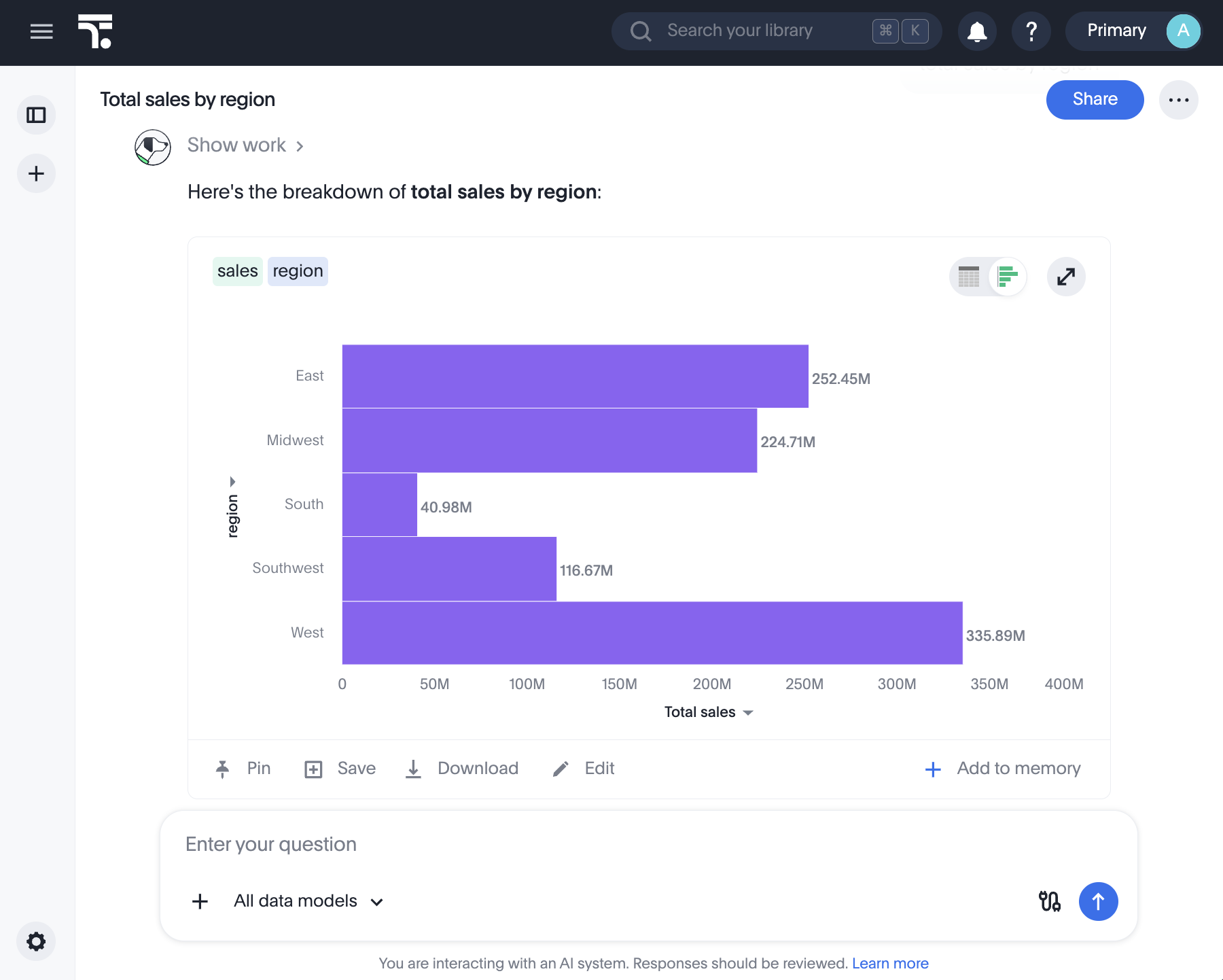
ThoughtSpot is a business intelligence platform for teams that want to ask questions of company data as well as read dashboards. Spotter is its AI analyst: a question about sales, customers or operations can return a chart, table or explanation, with follow-up questions continuing the analysis.
Its strongest fit is a business with warehouse data and shared definitions of its metrics. People can investigate those metrics without writing every query themselves, while the data team maintains the models behind them. That preparation still matters: conversational answers do not replace clear measures, relationships and access rules.
Live connections include Snowflake, Databricks, BigQuery and Amazon Redshift, alongside other supported databases. ThoughtSpot queries connected data directly. Joins must stay within one connection; connecting several warehouses does not create unrestricted joins between them.
Spotter 3 adds cross-model search that can query several accessible models and combine their findings. This optional capability currently answers in English text summaries rather than a single combined chart. It respects existing row and column permissions, and administrators must enable it.
Spotter 3 also has Search and Research modes for short questions and more involved investigations. Configured connectors can bring context from Slack, Jira or Confluence into a conversation and send results back. Connectors are listed as early access, need administrator setup and user authentication, and follow configured tool permissions.
For a small ad hoc analysis, Spotter accepts CSV uploads of up to 5 MB each, with ten files per message. These files belong to the conversation rather than a permanent warehouse model. Their lifetime follows saved-chat settings; with saved conversations disabled, they persist for six hours.
Saved answers become reusable charts and tables on Liveboards. Teams can filter and drill into these dashboards, share view or edit access, and export a PDF when downloads are enabled. TML exports serve a different purpose: moving analytics definitions between environments.
The main trade-off is the boundary between conversational exploration and detailed report editing. Chat does not change chart colors, axes or label visibility, and it cannot change parameters. More advanced visualization work uses the editor. Spotter Classic, Agent and Spotter 3 also have different capabilities.
ThoughtSpot is a good candidate for companies opening governed reporting to business teams or embedding it in a product. Hex is worth considering for SQL and Python notebook work; Power BI suits Microsoft reporting environments. ThoughtSpot’s APIs and Visual Embed SDK support product integration under the relevant embedded offer.
Best for
- Business teams exploring shared company metrics
- Data teams maintaining warehouse reporting
- Product teams embedding analytics
Limitations
Spotter versions differ. Cross-model answers are English text summaries, not combined charts. Chart styling needs the editor, and chat cannot change parameters. Queries, rows and connector access depend on your plan and configuration.
ThoughtSpot features
Conversational analytics
Ask about business metrics, refine the question and switch between chart and table answers.
Live warehouse connections
Query supported databases including Snowflake, Databricks, BigQuery and Redshift; joins remain within a connection.
Cross-model search
Spotter 3 can combine results from permitted models into an English text summary when this option is enabled.
Search and Research modes
Spotter 3 supports direct questions and more involved investigations with visible analysis steps.
Interactive Liveboards
Group saved answers into dashboards with filtering, drill-down and separate view or edit access.
CSV analysis
Analyze files of up to 5 MB each, with ten files per message and retention tied to conversation settings.
Connected business context
Early-access Spotter 3 connectors support external context and actions after administrator setup and user authentication.
Embedded analytics
Add dashboards, search and agent experiences to applications with APIs and the Visual Embed SDK.
ThoughtSpot pricing
Pro costs $50 per user/month billed annually, with 25 monthly Spotter queries per user. Usage-based Pro starts as low as $0.10 per credit; contract terms apply. Enterprise and embedded analytics have separate offers. Unlimited LLM tokens still sit within subscription limits, and your own LLM provider may charge separately.
Example plans.
Pro user: annual subscription
USD 600 / user / year
Current documented product
Billed annually.
Plan details
USD 50 per user/month billed annually; 25 Spotter queries per user/month. Pro user and row limits apply.
Technical specifications
Data analysis
| Feature | ThoughtSpot |
|---|---|
| Data inputs and connections | Live warehouse connections including Snowflake, Databricks, BigQuery and Redshift; joins cannot span separate connections.Configured data connections |
| Analysis workflow | Conversational charts, tables and explanations; optional Spotter 3 cross-model search synthesizes permitted models as English text summaries.Enabled agent version and cross-model configuration |
| Charts and reproducible outputs | Saved Answers and shared Liveboards; PDF dashboard reports when downloads are enabled, plus TML exports for analytics definitions.Liveboard and data-source permissions |
| Data permission controls | Liveboards have view/edit access; filtering requires source access. Cross-model search respects existing model, row and column permissions.Configured workspace and model access |
| Data and compute limits | Chat cannot change chart colors, axes, labels or parameters. Cross-model summaries are English-only; supported features vary by agent version.Enabled Spotter version |
| Maximum dataset size (rows) | 250000000Pro plan allowance; not a per-file or universal dataset limit |
| API access | SupportedDeveloper APIs and Visual Embed SDK; applicable embedded licensing |
ThoughtSpot alternatives
Power BI offers Microsoft reporting, Hex combines notebooks with data apps, and Qlik is another established business analytics platform.
Power BI with Copilot
Microsoft reporting built around semantic models; Copilot requires eligible capacity and configuration.
ThoughtSpot FAQs
What is ThoughtSpot used for?
ThoughtSpot provides business intelligence through search, Spotter AI analytics and live dashboards. Companies use it for warehouse reporting, shared metrics and analytics embedded in their own applications.
How much does ThoughtSpot cost?
Pro is $50 per user/month billed annually, including 25 monthly Spotter queries per user. Usage-based Pro advertises credits from $0.10; Enterprise and embedded offers have separate terms.
Does unlimited LLM usage mean unlimited ThoughtSpot queries?
No. ThoughtSpot does not meter LLM tokens, but subscription limits still govern platform use. Fees from your own LLM provider may apply separately.
Can ThoughtSpot analyze several data models?
Spotter 3 can synthesize findings across accessible models when cross-model search is enabled. Combined answers are currently English text summaries. This does not enable joins across separate warehouse connections.
Can I upload a spreadsheet to Spotter?
Spotter accepts CSV files up to 5 MB each, with ten per message. They stay with the conversation; retention depends on saved-chat settings rather than becoming permanent warehouse data.
Can Spotter change chart formatting or parameters?
Chat cannot change chart colors, axes or data-label visibility, and it cannot change parameters. Use the chart editor for detailed presentation work. Capabilities also vary by Spotter version.
Can I embed ThoughtSpot in my own product?
Yes. The developer platform provides APIs and a Visual Embed SDK for dashboards, search and agent experiences. Embedded analytics is a separate offer with its own licensing and access requirements.
What are the best ThoughtSpot alternatives?
Power BI, Hex and Qlik are relevant alternatives. Power BI focuses on Microsoft reporting, Hex combines SQL and Python notebooks with shared apps, and Qlik offers an established business analytics platform.
Is this your product? Claim this page to update your listing.