

Krisp
Cleaner live calls and meeting notes
Reduce distracting call audio and keep meeting notes in one product. Krisp’s desktop noise cancellation runs locally, while meeting features have separate cloud processing and storage.
Free trial availableAccount required
- Access
- Free trial available
- Example plan
- USD 16 / user / monthCore — monthly
- Available on
- Desktop, Mobile, Web
What is Krisp?
Krisp combines live-call audio cleanup with meeting documentation. Its desktop noise cancellation processes microphone and speaker audio to reduce background sound, isolate the main speaker and address echo in supported calling apps.
The audio filters run on the device. Meeting transcription and enabled audio or video recordings use the cloud, so configure those features separately when deciding how a conversation will be processed and stored.
Route the call through Krisp
Select your physical microphone and speakers in Krisp, then choose Krisp Microphone and Krisp Speaker in the calling application. The calling app must support suitable audio-device controls. If others still hear unprocessed input, check the selected microphone. The setup guide also recommends avoiding overlapping noise or echo processing in the calling app.
Choose the relevant audio path
Microphone cleanup targets noise around you; speaker cleanup targets noise from the other participant. Microphone voice isolation aims to retain the main speaker, while speaker processing retains the other people’s voices. These controls improve a call rather than rearranging a recording in a production timeline.
Mobile capture has a different feature set
The mobile apps support in-person recordings, imported audio, transcripts, summaries and action items, and can send a bot to supported online calls. They do not include desktop noise cancellation. Choose the platform for the job you need rather than assuming the mobile app has the same audio controls.
Best for
- Reducing noise during desktop calls
- Local audio filtering with optional cloud notes
- Calling apps with selectable virtual audio devices
Limitations
Local noise cancellation does not make meeting transcription or cloud recordings local. Mobile does not include desktop noise cancellation. Call Center AI and developer offers have separate pricing and product scope.
Krisp features
Microphone and speaker cleanup
Apply real-time desktop noise cancellation to outgoing and incoming call audio.
Voice and echo controls
Desktop processing includes background-voice isolation and acoustic/room echo handling.
Meeting notes and action items
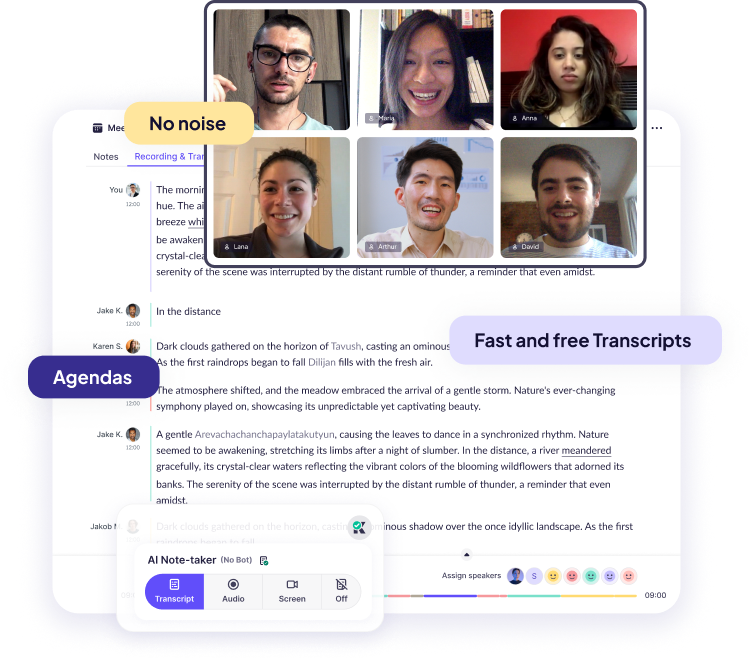
Transcription and note-taking provide a written meeting record alongside optional recordings.
Mobile meeting capture
Record in-person conversations or import audio on mobile; desktop is required for noise cancellation.
Calling-app audio routing
Choose the physical hardware in Krisp and Krisp’s virtual devices in the calling app. Device compatibility and app-level audio settings are part of setup.
Separate incoming and outgoing controls
Use microphone filtering for your environment and speaker filtering for incoming audio. Configure meeting capture separately from either noise filter.
Krisp pricing
Meeting AI offers a seven-day free trial with no card required. Core is USD 16 per user with monthly billing, or USD 8 per user per month with annual billing, equivalent to USD 96 per user for a year before any applicable tax. Core includes noise cancellation and meeting notes. Separate Call Center AI and developer plans have their own entitlements.
Example plans.
Core — monthly
USD 16 / user / month
Krisp Meeting AI
Plan details
Meeting AI monthly price per user. Annual billing has a different displayed rate.
Technical specifications
Transcription and meetings
| Feature | Krisp |
|---|---|
| File and meeting capture | Desktop meeting capture and separate mobile in-person recording/import workflows.Meeting AI; desktop/mobile differ |
| Recording and usage limits | Meeting AI has a seven-day no-card trial. Core is paid; mobile noise cancellation is not included.Meeting AI Core/trial and mobile scope |
Krisp alternatives
Choose the workflow that matches the material you want to create or capture.
Adobe Podcast
Adobe Podcast enhances an already recorded spoken file. Krisp’s virtual audio devices are useful during the live call.
Otter.ai
Otter.ai suits shared transcripts, conversation search and meeting playback. Compare capture and storage separately from noise filtering.
Descript
Descript changes the recording through transcript cuts and a media timeline. Krisp focuses on call audio and meeting documentation.
Krisp FAQs
Does Krisp process all audio locally?
No. Desktop noise cancellation runs locally. Meeting transcription can use cloud processing, and enabled recordings are stored in the cloud.
Does Krisp cancel noise on a phone?
The documented mobile app does not include noise cancellation. Use its desktop app for that function; mobile focuses on recording and meeting notes.
Is Krisp free?
The current Meeting AI pricing page offers a seven-day free trial without a card. Core is a paid plan; a trial should not be described as an ongoing free tier.
Can I use notes without noise cancellation?
Yes. Meeting transcription and notes are separate functions; configure capture in the calling app and Krisp settings.
Why is my calling app still using the unfiltered microphone?
Check both sides of the route: select your real microphone in Krisp, then select Krisp Microphone in the calling application. Speaker cleanup similarly requires Krisp Speaker. The application must support the relevant virtual-device selection.
Should I run two noise-suppression systems together?
The Krisp setup guide recommends turning off overlapping noise suppression and echo processing in supported calling apps. Compare the configured call audio and follow the app-specific setup rather than assuming two filters improve the result.
Can Krisp remove noise from the person I am listening to?
Desktop Speaker Noise Cancellation addresses incoming audio. Microphone Noise Cancellation addresses outgoing audio from your environment. The documented mobile app does not provide these desktop noise-filter functions.
Is Krisp a complete podcast editor?
Its desktop noise filtering and meeting record cover live-call needs. For restructuring spoken content, assembling media or producing an edited episode, compare a production editor such as Descript or a post-production service such as Auphonic.
Explore related AI tools
Is this your product? Claim this page to update your listing.