

JetBrains Junie
JetBrains Junie: AI coding in your IDE and terminal
JetBrains Junie is a coding agent for the terminal and supported IDEs. It can inspect a repository, change code and run tests, with a free Junie Lite model, JetBrains AI subscriptions and separately billed bring-your-own-key access.
Free plan availableAccount required
- Access
- Free and paid plans
- Example plan
- EUR 100 / user / yearPersonal AI Pro annual — Europe
- Available on
- Desktop, Web
A coding agent alongside JetBrains development tools
Junie works with the files and development tools of a repository. It can investigate a task, write changes and run tests, with the resulting code available for review. In supported JetBrains IDEs, Junie is accessible through the shared AI Chat window or a separate plugin. Ask mode provides a read-only conversation about the project, while Code mode can carry out a development task. This suits developers who want agent assistance close to the editor’s code navigation and diff tools.
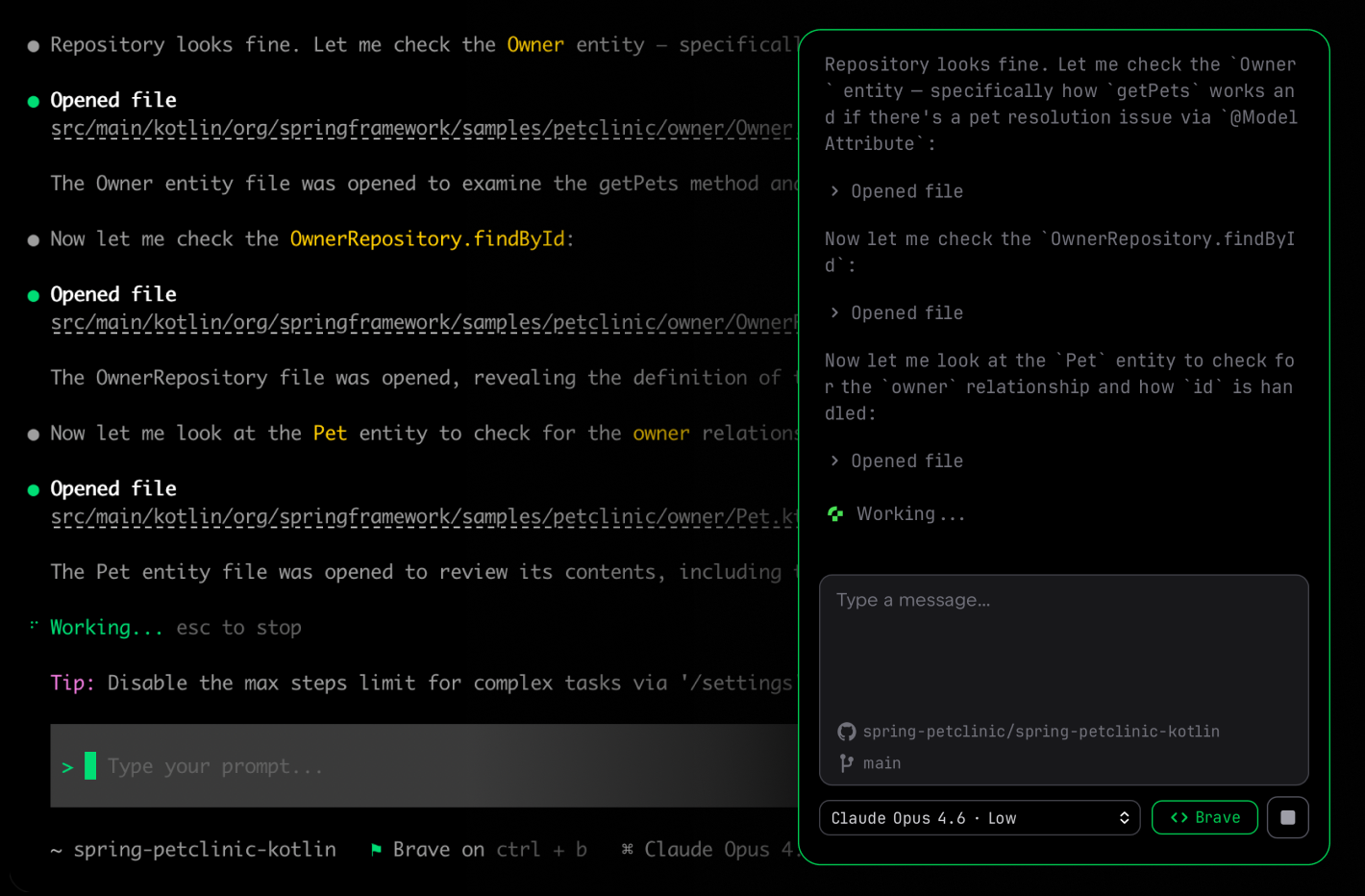
The terminal version adds a direct way to work from a project folder on macOS, Windows or Linux. File and folder references provide focused context, and follow-up messages can steer a task while it is running. Junie also offers repository automation through GitHub Actions and GitLab CI. Remote Control brings a browser interface to an existing session, rather than turning every local task into an independently hosted development environment.
Junie’s access options extend beyond a single paid subscription. The Lite model provides a free starting point, JetBrains AI plans include cloud-model credits, and BYOK connects eligible providers with billing handled directly by them. Custom or self-hosted endpoints support other configurations. Approval settings determine how freely the agent can act: allowlisted commands and Brave modes can reduce confirmation prompts, while the release CLI currently does not expose the experimental sandbox. A local terminal session therefore needs to be distinguished from the location of model processing and the permissions it has been given.
Best for
- Developers using JetBrains IDEs alongside the terminal
- Repository tasks involving code changes and tests
- Developers choosing between subscription, BYOK and custom model endpoints
Limitations
IDE availability depends on the product and version. Cloud AI Credits are shared with other eligible JetBrains AI features; they are not fixed request counts. BYOK adds provider charges. Brave modes and allowlists can permit actions without approval, and CLI sandbox support is currently limited to experimental builds.
JetBrains Junie features
IDE-integrated coding
Use Junie in supported JetBrains IDEs, with code changes and diffs alongside the project.
Repository edits and tests
Let the agent inspect relevant files, develop multi-file changes and use commands or tests as part of a task.
Terminal sessions and follow-ups
Reference files or directories and steer a running CLI task with additional instructions.
Free Lite and model-provider options
Start with Junie Lite or use subscription models, your own provider key or supported custom endpoints.
Automation and Remote Control
Connect Junie to eligible GitHub or GitLab automation, or follow an existing session through its browser interface.
JetBrains Junie pricing
Free plan available. Plans priced per user. Visit JetBrains Junie for full plan details and current offers.
Example plans.
Personal AI Pro annual — Europe
EUR 100 / user / year
JetBrains Junie
Billed annually.
Plan details
Full annual price before VAT on the observed European offer. 10 AI Credits per 30 days; individual plan.
Personal AI Ultimate annual — Europe
EUR 300 / user / year
JetBrains Junie
Billed annually.
Plan details
Full annual price before VAT on the observed European offer. 35 AI Credits per 30 days; individual plan.
Technical specifications
Coding assistants
| Feature | JetBrains Junie |
|---|---|
| Editor and terminal interfaces | CLI on macOS, Windows and Linux; supported JetBrains IDEs through AI Chat or the separate Junie plugin. GitHub Actions, GitLab CI and browser Remote Control provide additional entry points.IDE/version and automation setup requirements |
| Repository context | Use repository files, explicit file/folder references and reusable project guidelines. IDE Ask mode explores the project without modifying files.Project context; IDE Ask and Code modes |
| Agent actions | Develop a task through edits, file creation, terminal commands and tests. Review diffs and selectively revert IDE changes; terminal follow-up prompts can steer a running task.Capabilities differ between IDE and CLI |
| Model access | Free Junie Lite, JetBrains-hosted AI subscriptions, BYOK and custom or self-hosted model endpoints provide different access routes. BYOK sends model requests directly to the chosen provider.Provider/model and configuration-dependent availability |
| Execution and review controls | Action allowlists and Brave modes change approval behaviour. IDE .aiignore exclusions have exceptions. CLI sandbox support is currently experimental/nightly/development only, not exposed in release or EAP builds.CLI and IDE controls have different scope |
JetBrains Junie alternatives
Other coding agents offer different editor integrations and model access.
Claude Code
Claude-based repository agents in the terminal, supported editors and cloud sessions.
Compare with JetBrains JunieGitHub Copilot
Code suggestions and agents across editors and GitHub.
Compare with JetBrains JunieJetBrains Junie FAQs
Is JetBrains Junie free?
Junie Lite is available without a paid subscription. JetBrains-hosted paid models use subscription credits, while BYOK use can incur charges from the model provider.
How is Junie billed?
Personal AI Pro provides 10 AI Credits per 30 days and Ultimate 35. The observed European annual offer is EUR 100 and EUR 300 per user per year before VAT. Organisation terms differ. BYOK model requests are billed directly by the provider.
Does Junie run models locally?
The CLI supports custom and self-hosted model endpoints, including local-model setups. JetBrains-hosted subscription models and remote BYOK providers process model requests remotely; running the agent in a local terminal does not make those requests local.
Does Junie require approval for every action?
Approval depends on the interface and settings. Action allowlists and Brave modes can permit actions without a prompt. The CLI’s documented sandbox is currently restricted to development, nightly and experimental builds.
Is this your product? Claim this page to update your listing.