

Grammarly
Grammarly: AI writing, grammar checks and clearer copy
Polish emails, documents and everyday writing with Grammarly’s grammar checks, tone suggestions, paragraph rewrites and AI assistance.
Free plan availableAccount required
- Access
- Free and paid plans
- Example plan
- USD 30 / user / monthPro monthly
- Available on
- Web, Desktop, Mobile
Writing support inside the apps you already use
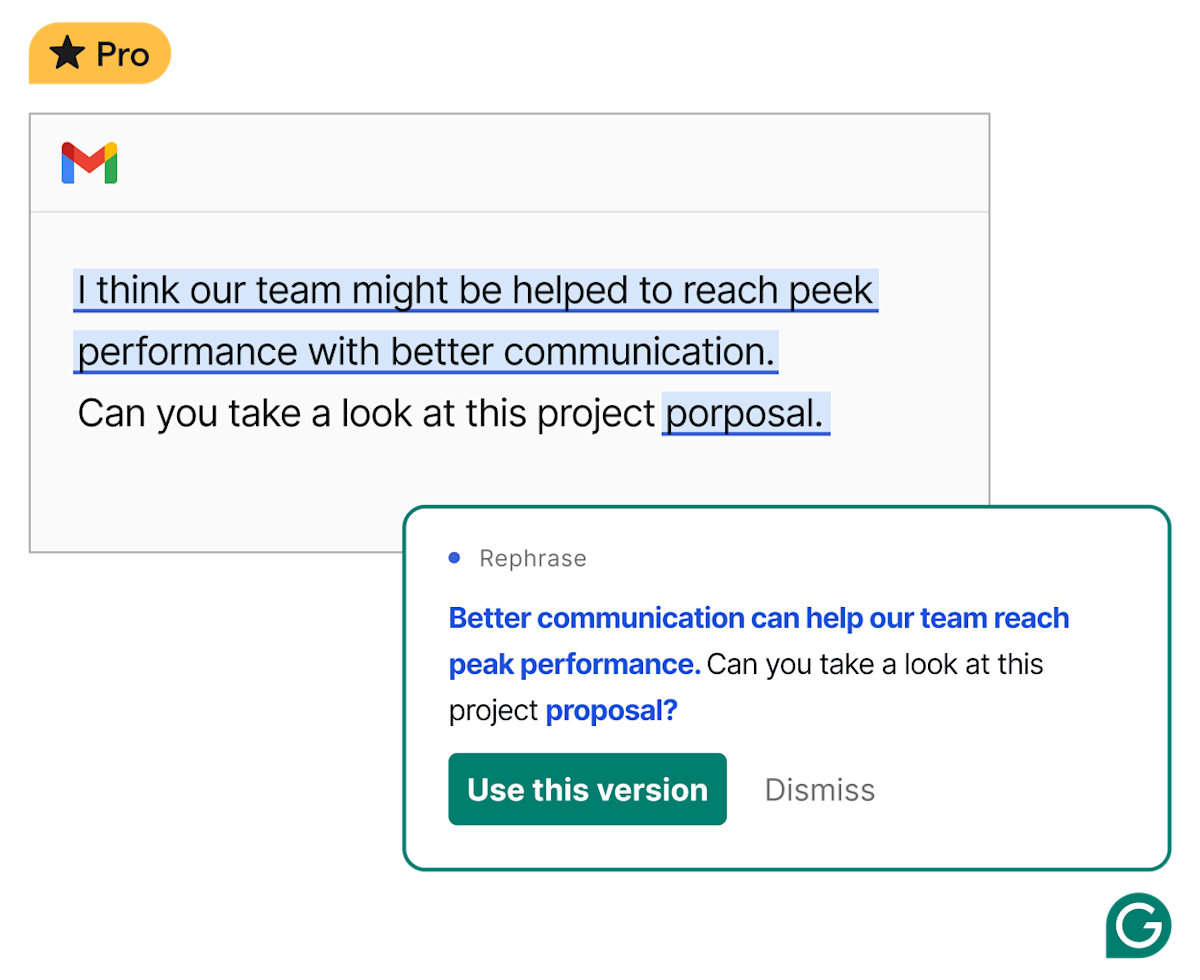
Grammarly adds editing help to emails, documents and other places where you write. Basic corrections address spelling, grammar and punctuation; more advanced suggestions tackle clarity, tone and phrasing. Paragraph rewrites and prompt-based assistance can help develop a rough draft or revise an existing message. The product remains Grammarly within the broader Superhuman suite, which has its own subscriptions and tools.
Its reach is a large part of its appeal. Browser extensions, desktop apps and mobile access bring suggestions to different writing surfaces, while Docs offers a dedicated space for longer work and writing agents. The classic Grammarly Editor also supports uploading and downloading documents. Features differ between these surfaces, so a capability in Docs does not necessarily appear in every mobile app or integration.
Grammarly now supports basic writing corrections in more than 20 languages. Advanced suggestions and paragraph rewrites cover a smaller group: English, Spanish, French, German, Portuguese and Italian. The free plan includes a limited number of AI prompts and advanced suggestions. Pro expands those allowances and adds tools such as tone adjustments and brand controls. Teams can use shared guidance to keep terminology and voice consistent, with larger organisation controls available through Enterprise.
Best for
- People polishing work emails and documents
- Writers who want editing suggestions in their apps
- Teams maintaining a consistent writing style
Limitations
Rewrites can change meaning, and AI or plagiarism indicators are not proof of authorship. Features vary by language and app. Personal-account training settings and organisation agreements differ.
Grammarly features
Grammar, clarity and tone
Correct spelling and grammar, shorten awkward wording and adjust the tone of a message.
Paragraph rewriting
Revise a passage as a whole, rather than accepting only individual word or punctuation changes.
AI drafting and writing agents
Generate and refine text through prompts, with additional writing agents in the Docs workspace.
Multilingual editing
Basic corrections cover more than 20 languages. Advanced suggestions and paragraph rewrites currently support six languages.
Team style and brand guidance
Pro includes shared style and brand controls; Enterprise expands organisation management and security features.
Grammarly pricing
Free plan available. Plans priced per user. Visit Grammarly for full plan details and current offers.
Example plans.
Pro monthly
USD 30 / user / month
Grammarly
Plan details
US list price per member; 2,000 AI prompts/month; regional prices and tax treatment differ.
Technical specifications
Writing and translation
| Feature | Grammarly |
|---|---|
| Writing workflow | Spelling, grammar, clarity, tone, paragraph rewrites and prompt-based drafting. Docs provides a dedicated writing space with writing agents.Writing assistance; access varies by plan and surface |
| Languages | Basic writing support in more than 20 languages. Advanced suggestions and paragraph rewrites cover English, Spanish, French, German, Portuguese and Italian; mobile coverage differs.Feature-specific language coverage |
| Style and terminology controls | Tone adjustments, full-paragraph rewrites, brand tones, custom style guides and reusable snippets. Pro includes one style guide and one brand tone.Pro brand controls; larger organisation features in Enterprise |
| Document integrations | Web editor, desktop apps, browser extensions, Word, Google Docs and mobile apps. Features differ between applications.Editor file handling; feature availability differs by application The classic Editor supports document upload and download. Uploaded TXT files export as DOCX.Classic Editor file handling |
| Usage and document limits | Free includes 100 AI prompts per month; Pro includes 2,000 per member per month. Prompt allowances refill on the account’s monthly cycle.AI allowances; advanced multilingual suggestions documented separately |
Grammarly alternatives
Other writing tools emphasise paraphrasing, multilingual proofreading or specialist translation.
Quillbot
Paraphrasing modes, summaries and a collection of writing tools.
Compare with GrammarlyLanguageTool
Grammar and style assistance across supported languages.
Compare with GrammarlyDeepL
Specialist translation alongside writing improvement with DeepL Write.
Compare with GrammarlyGrammarly FAQs
Is Grammarly free?
Yes. Free includes core writing corrections and 100 AI prompts per month. Advanced suggestions and some other capabilities are limited.
How much does Grammarly Pro cost?
Published US prices are USD 30 per member monthly, USD 60 for three months or USD 144 for a year. Local currencies and taxes can differ.
Does Grammarly work beyond English?
Basic writing support covers more than 20 languages. Advanced suggestions and paragraph rewrites cover six; mobile language coverage differs.
Can I opt out of model training?
Free, Premium and single-user Pro accounts have a Product Improvement and Training control. Organisation accounts have their own settings and agreements.
Is this your product? Claim this page to update your listing.