
Quillbot
QuillBot review: paraphrasing, grammar and writing tools
QuillBot combines paraphrasing, grammar checks, summaries and citations. Explore its Free and Premium features, subscription options and alternatives.
Free plan availableAccount optional
- Access
- Free and paid plans
- Available on
- Web, Desktop, Mobile
Rewrite a draft, refine its wording and organise references
QuillBot centres on improving text you already have. Its Paraphraser offers alternative ways to express a passage, the Grammar Checker catches errors, and the Summarizer condenses longer material. Citation generation and plagiarism checks add support for working with sources. It suits writers revising reports, students developing a draft and people exploring clearer phrasing in another language.
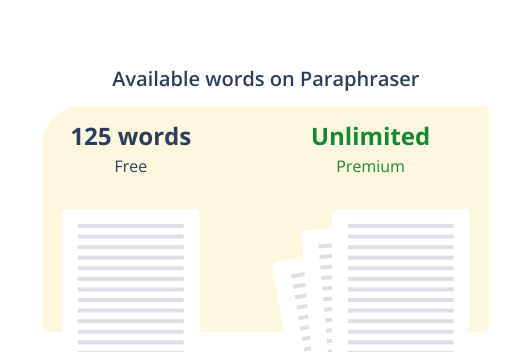
Free includes Standard and Fluency paraphrasing modes with up to 125 words per input. Standard balances a rewrite with the original phrasing, while Fluency concentrates on smoother wording and grammar. Premium expands access to built-in modes such as Formal, Academic, Simple, Creative, Shorten and Expand, plus Custom modes. These provide different editing options without requiring a new instruction for every passage.
Rewriting controls let you vary synonyms and keep selected words unchanged through Freeze Words. Premium adds fuller controls, mode comparison and paraphrasing history. A stronger rewrite can change emphasis, specificity or meaning, particularly when adding detail or using Creative mode. QuillBot can help explore a different phrasing, but it cannot decide which wording accurately reflects your argument.
The Summarizer accepts up to 1,200 words on Free and 6,000 on Premium, with custom summaries on the paid plan. It helps condense an article or revisit the main points of a draft. Summarising has its own word allowance rather than inheriting unlimited Premium paraphrasing. A shortened version can omit a qualification or supporting detail, so it should accompany the source when those details matter.
Language support differs between tools. Paraphrasing includes English, Spanish, French, German, Chinese, Portuguese, Hindi and Japanese, with regional English options. Translation supports more than 40 languages, while grammar correction has a smaller language set. Summarising and the extensions have their own coverage. Support for rewriting in a language does not mean every grammar, citation or summary feature works in it.
Citation tools help format references, while Premium plagiarism checking highlights text similarities and possible missing attribution. Its allowance is 25,000 words per month, with additional word packs available. Paraphrasing does not remove the need to cite a source, and a similarity percentage is not a final judgment about originality. QuillBot also offers AI-text detection and humanising tools; changing phrasing or receiving a detector score does not establish authorship.
Browser extensions, desktop and mobile apps, keyboards and a Word add-in bring QuillBot into other writing spaces. The Word add-in provides paraphrasing and grammar help in Word on Windows, Mac and the web, and requires an internet connection and a QuillBot account. Flow combines writing and editing tools in a document workspace, with 10 MB storage on Free and 100 MB on Premium. App features and limits can differ from the web tools.
Premium expands individual writing features, while Team adds writer management, centralised billing and usage tools. Regional prices and billing commitments vary. QuillBot uses cloud processing; supported extensions have separate controls for storing text and, for account holders, using it for model training. Extension text storage is on by default, and Team inputs are excluded from model training. These settings concern data use, not an offline mode.
Best for
- Writers revising existing passages and exploring alternative phrasing
- Students polishing drafts, summaries and references
- People who want paraphrasing and other writing tools in one collection
Limitations
Rewriting can change meaning, and source ideas still need attribution. Premium tools have separate limits; language and app coverage differ. Similarity and AI-text scores do not prove originality or authorship.
Quillbot features
Paraphrasing modes
Free includes Standard and Fluency for up to 125 words per input. Premium adds fuller access, more built-in modes and Custom modes for different styles of rewrite.
Synonyms and Freeze Words
Adjust how extensively wording changes and preserve selected terms. Premium expands these controls, with mode comparison and paraphrasing history.
Grammar and tone support
Check spelling, grammar and punctuation, with advanced writing suggestions and tone insights on Premium. Available languages and suggestions depend on the writing surface.
Text summaries
Condense up to 1,200 words on Free or 6,000 on Premium. Custom summaries offer additional control on the paid plan; summary allowances are separate from paraphrasing.
Multilingual rewriting and translation
Rewrite in languages including English, Spanish, French, German and Chinese, or use translation with broader language coverage. Each writing tool has its own language support.
Citation generation
Format references for source material and add citations to identified similarities. The writer still needs to check bibliographic details and acknowledge borrowed ideas.
Premium plagiarism checking
Scan up to 25,000 words monthly across more than 100 languages, with reports highlighting possible source overlap. Extra word packs can expand the allowance.
Writing apps and Word integration
Use browser extensions, desktop and mobile apps or the Word add-in. Word support brings paraphrasing and grammar checks into a sidebar and needs an account and internet access.
Flow workspace and Team access
Flow brings writing and revision into a document workspace. Team subscriptions add member administration, central billing and usage features to Premium writing access.
Quillbot pricing
QuillBot offers Free, Premium and Team plans. The public Premium page currently advertises USD 8.33 per month with annual billing; this is a monthly equivalent for a yearly subscription, not a month-to-month offer. Monthly and quarterly options, regional prices and the full charge appear in the subscription chooser. Team plans use per-member billing. Pricing checked on 9 October 2026.
Technical specifications
Writing and translation
| Feature | Quillbot |
|---|---|
| Writing workflow | Paraphrasing, grammar correction, summaries, citation generation and plagiarism checks, with Projects/Flow and additional AI tools.Core writing tools; availability varies by plan |
| Languages | Paraphrasing languages include English, Spanish, French, German, Chinese, Portuguese, Hindi and Japanese, with US, UK, Canadian and Australian English options. Other writing tools have separate language coverage.Paraphraser examples and English variants; no universal language count |
| Style and terminology controls | Free Standard and Fluency modes; Premium built-in and custom modes, mode comparison, history and synonym adjustment.Custom modes and advanced rewriting belong to Premium |
| Document integrations | Web tools, Chrome/Edge/Safari extensions, Windows/macOS apps, a Word add-in, and Android/iOS apps and keyboards.Features and limits may vary across platforms |
| Usage and document limits | Free paraphrasing up to 125 words; summaries 1,200 words, compared with 6,000 on Premium. Premium plagiarism checks cover 25,000 words/month. Flow storage is 10 MB free and 100 MB Premium.Separate allowances by writing tool |
Quillbot alternatives
Explore other tools for proofreading in your apps, sentence rewriting or dedicated translation.
Grammarly
Grammar, clarity and tone support in common writing apps, with shared style controls for teams.
Quillbot FAQs
Is QuillBot free?
Yes. Free includes Standard and Fluency paraphrasing for up to 125 words, basic grammar tools and summaries up to 1,200 words. Some other tools have limited free access. Premium expands editing features and allowances, and plagiarism checking requires Premium.
How much does QuillBot Premium cost?
The public page currently advertises USD 8.33 per month with annual billing. That is an annual subscription’s monthly equivalent, not the price of paying one month at a time. Monthly and quarterly options, full subscription totals and local currencies appear in the subscription chooser; offers can vary by region.
Is QuillBot Premium unlimited?
Premium provides full paraphrasing access and additional modes, but other tools retain separate limits. Summaries accept up to 6,000 words, plagiarism checking includes 25,000 words per month and Flow storage is 100 MB. App-specific limits can differ.
Which paraphrasing modes are free?
Standard and Fluency are the free modes. Premium adds options such as Formal, Academic, Simple, Creative, Shorten and Expand, plus Custom modes. Availability can differ between languages and applications.
Does QuillBot work in languages other than English?
Yes. Paraphrasing includes Spanish, French, German, Chinese, Portuguese, Hindi, Japanese and others, alongside regional English options. Translation, grammar checking, summaries and extensions have separate language coverage rather than one identical list.
Does QuillBot include a plagiarism checker?
Premium includes plagiarism checking for up to 25,000 words per month, with support for more than 100 languages and additional word packs available. Free does not include the report. Source similarities can identify passages needing attention, but a percentage alone does not establish plagiarism or originality.
Can QuillBot be used in Microsoft Word?
Yes. Its Word add-in provides paraphrasing and grammar checks in Word on Windows, Mac and the web. It requires a QuillBot account and an active internet connection. Free has basic access; Premium expands modes and word allowances.
Does QuillBot use my writing for model training?
Its supported extensions have separate text-storage and model-training controls. Storage is on by default; all extension users can opt out of storage, while account holders can opt out of training. Team inputs are excluded from model training. Turning these settings off does not make the writing tools work offline.
Is this your product? Claim this page to update your listing.