

Visme
Visme review: AI presentations and branded visual content
Visme creates AI presentations, reports and visual content. Explore its brand tools, interactive charts, PowerPoint exports, pricing and alternatives.
Free plan availableAccount required
- Access
- Free and paid plans
- Example plan
- USD 29 / user / monthStarter — monthly
- Available on
- Web
Presentations, reports and interactive content in one editor
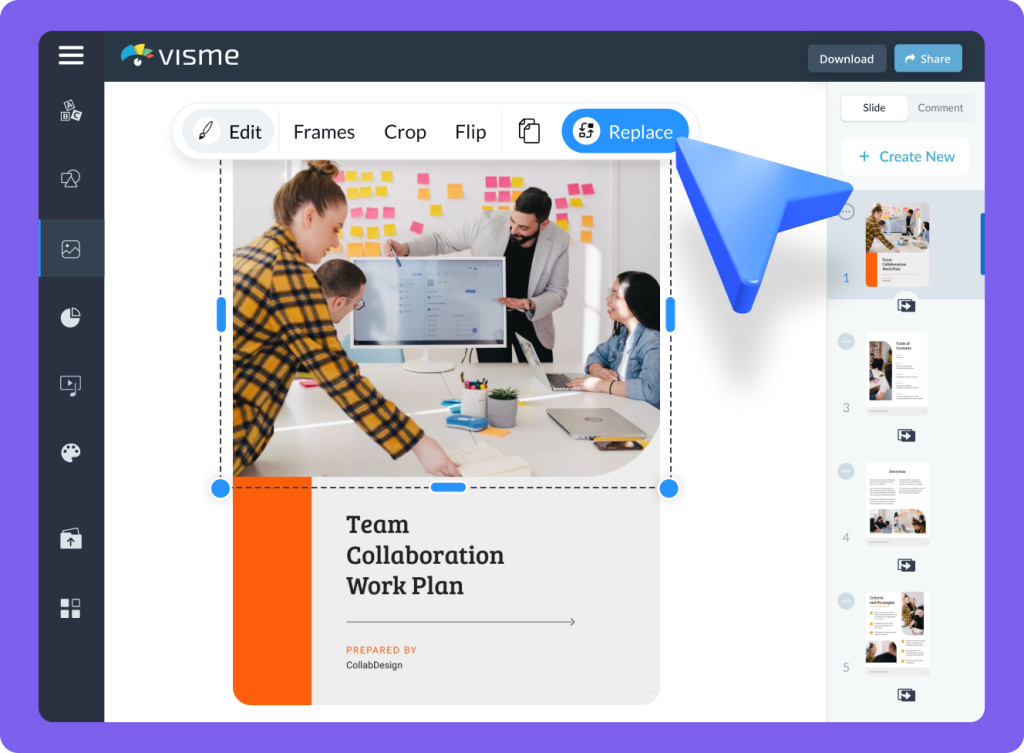
Visme brings presentations, reports, infographics and other visual content into one design workspace. It suits teams that need a branded sales deck, a visual report and supporting graphics without rebuilding their assets in a separate application for each format. Templates provide a starting layout, while the editor supports changes to text, images, colours and pages. Its appeal is the combination of design, data and online delivery rather than slide generation alone.
AI Designer builds presentation, document and printable drafts through a guided conversation. It can generate up to ten pages, which can then be edited or expanded manually. The generated draft and the wider editor have different capabilities: charts, data widgets and interactive elements can be added to a project, but that does not mean every Visme format is generated automatically from a prompt.
Source documents and links can guide the draft, with document uploads reserved for premium subscriptions. Verbatim keeps wording close to the source, Enhance refines it and Rewrite takes a freer approach. Even the closest setting can make small changes. That matters for approved company wording, quotations and exact figures: the editable canvas provides control over the final text after generation.
Charts can use imported CSV or Excel files, Google Sheets and supported connected applications. An uploaded spreadsheet provides a snapshot; a connected source has its own authentication and refresh options. The editor also supports data widgets, audio, video and animated elements. These features make Visme relevant to reports and presentations where the audience needs more than a sequence of static text slides.
Pro and Enterprise can apply Brand Kit colours and fonts during AI generation. Enterprise extends this with approved presentation templates, including templates imported from PowerPoint or PDF. Specific text boxes can be protected against AI replacement. Template restrictions can narrow the choices available to members, while administrators retain wider access. Applying a brand palette and enforcing approved content are therefore separate levels of control.
Pro adds editable PowerPoint, HTML5, video and GIF exports to the image and PDF formats offered by Starter. Editable PPTX retains slide content but loses Visme animations and transitions, and fonts or effects can change. HTML5 preserves native motion and interaction for offline presenting, although YouTube and other external embeds still need a connection. Downloaded HTML5 files need to be exported again after changes; a published Visme link can show updates without replacing a file. Presenter notes can accompany HTML5 and editable PPTX exports.
Team sharing supports view, edit and comment access, with further roles and approvals on Enterprise. Members see projects shared with them, while administrators can access the workspace’s projects. Uploaded assets in My Files are available to other workspace members, so project visibility and asset visibility are different. Premium workspaces also require paid seats for their active members; an individual subscription is not a licence for an entire team.
Basic offers free access with limited assets, storage and AI usage. Starter expands templates and standard downloads, while Pro adds brand, privacy, analytics and further delivery formats. Enterprise is a quoted offer for larger organizations. AI allowances renew monthly and are assigned per user in shared workspaces. Commercial use is a separate consideration: Basic and Starter are personal-use tiers under Visme’s terms, while Pro and Enterprise permit business content. Stock assets and generated outputs still carry their own usage conditions.
Best for
- Teams producing branded presentations and reports
- Communicators combining visuals with charts
- Organizations reusing approved templates and content
Limitations
Basic and Starter are personal-use tiers. Editable PowerPoint exports lose Visme animations and transitions; offline HTML5 still needs internet access for external embeds.
Visme features
AI presentation and document drafts
Generate up to ten pages through a guided conversation, then edit text, layouts and images.
Three content reuse options
Keep source wording close, enhance its structure or rewrite it for a different presentation.
Charts from existing data
Import CSV/XLSX data or use supported connections to spreadsheets and other applications.
Brand Kit in AI generation
Apply saved colours and fonts on Pro or Enterprise before opening the generated design.
Approved Enterprise templates
Reuse company layouts and protect selected text boxes from AI replacement.
Editable PowerPoint files
Continue editing exported PPTX content, with limitations for animation, fonts and effects.
HTML5 and online presentations
Preserve native interaction in eligible HTML5 exports or share an updated presentation link.
Team sharing and presenter notes
Control project access, collect comments and carry notes into supported presentation exports.
Visme pricing
Basic is free with limited assets, storage and AI usage. Starter adds premium templates and JPG, PNG and PDF downloads. Pro adds Brand Kit, privacy controls, analytics and PPTX, HTML5, video and GIF exports. Enterprise is quoted for larger organizations. Paid plans are priced per person, and annual billing involves an annual payment even when shown as a monthly equivalent. AI allowances renew monthly per user. Basic and Starter permit personal use; commercial content requires Pro or Enterprise.
Example plans.
Starter — monthly
USD 29 / user / month
Current documented product
Plan details
Per person, monthly billing. JPG/PNG/PDF downloads; personal use under the terms.
Pro — monthly
USD 59 / user / month
Current documented product
Plan details
Per person, monthly billing. Brand Kit, analytics, eligible PPTX/HTML5/video/GIF and commercial use under the terms.
Technical specifications
Graphic design
| Feature | Visme |
|---|---|
| Design output types | Presentations, documents and printables with AI Designer; wider manual graphics, charts and interactive content. |
| Editable layers and layout | Editable layouts, text, images and pages after generation; AI Designer generates up to ten pages. |
| Export formats | Starter JPG/PNG/PDF; Pro adds PPTX/HTML5/video/GIF. Editable PPTX omits Visme animations/transitions and may change fonts/effects. |
| Brand controls | Pro/Enterprise Brand Kit during AI generation; Enterprise approved templates and protected text. |
| Collaboration workflow | View/edit/comment access in shared workspaces; permissions and enterprise approval/role controls depend on plan. |
| Commercial-use rights | Basic/Starter personal use; Pro/Enterprise personal and commercial use. Stock-asset restrictions, nonunique AI outputs and input rights still apply. |
| Included asset storage (GB) | 0.5Basic storage 1Starter storage 10Pro storage |
Presentations
| Feature | Visme |
|---|---|
| Brief and document inputs | Guided brief and source links; premium document uploads. Enterprise approved PPTX/PDF templates for branded generation. |
| Slide editing controls | Editable slides, text, layouts and images; up to ten AI-generated pages, with further manual editing. |
| Presentation exports | Eligible editable PPTX/HTML5, PDF and video. PPTX omits Visme animations/transitions; presenter notes can be retained. |
| Brand templates | Pro/Enterprise Brand Kit; Enterprise approved templates with text excluded from AI replacement. |
| Sharing and collaboration | Shared view/edit/comment access; plan-dependent permissions, roles and approvals. |
Visme alternatives
Piktochart focuses on infographics and visual reports, Canva spans everyday design and presentations, and Adobe Express combines graphics with Adobe creative tools.
Piktochart
Infographics, visual reports and chart-based documents from editable templates.
Canva
Presentations and everyday graphics with a broad template library and plan-specific brand controls.
Adobe Express
Social graphics, presentations and creative editing with Adobe assets and eligible AI features.
Visme FAQs
Is Visme free?
Basic provides free access with limited templates, assets, storage and AI tools. Paid plans unlock more assets and downloads. Free access does not include the same export, privacy or commercial-use rights as Pro.
Can I use Visme Starter for commercial projects?
Basic and Starter permit personal use under Visme’s terms. Pro and Enterprise permit commercial content, subject to asset and output conditions. Education plans cover personal and educational use rather than commercial projects.
Can Visme export editable PowerPoint files?
Eligible plans offer an editable PPTX option. Slide content can be edited in PowerPoint, but Visme animations and transitions are lost, and custom fonts or effects may change. Presenter notes can be retained.
Can I present Visme projects offline?
Eligible HTML5 exports preserve native animations, audio and interactive elements for local presenting. External embeds such as YouTube videos still require internet access. An exported HTML5 package is a saved version and needs to be exported again after edits.
How many pages can Visme AI Designer create?
AI Designer generates up to ten pages per project. You can add more pages in the editor, subject to the plan’s project limits. The AI generation limit is separate from the capacity of a manually edited presentation.
Can Visme charts use CSV files or Google Sheets?
Charts support uploaded CSV and XLSX files, Google Sheets and supported connected applications. Connected sources require access to the source account or shared sheet. A file import supplies the uploaded data; connected sources have their own refresh options.
Do Visme AI credits renew on annual plans?
AI allowances renew monthly and are assigned per user in shared workspaces according to plan. Annual billing does not make that monthly allowance a single annual pool. Available credits appear in the AI creation interface.
Can Visme keep approved company wording unchanged?
Enterprise’s branded presentation templates can protect selected text boxes from AI replacement. The general content reuse option called Verbatim keeps wording close but can still make minor changes, so it is different from protecting a template element.
Explore related AI tools
Is this your product? Claim this page to update your listing.