

Kimi
Kimi: AI research, documents and presentations
Create cited research reports, editable Word and Excel files, and PowerPoint presentations with Moonshot AI’s Kimi assistant.
Free plan availableAccount required
- Access
- Free and paid plans
- Example plan
- USD 19 / monthPlus — international
- Available on
- Web, Desktop, Mobile, API
From research to editable reports and presentations
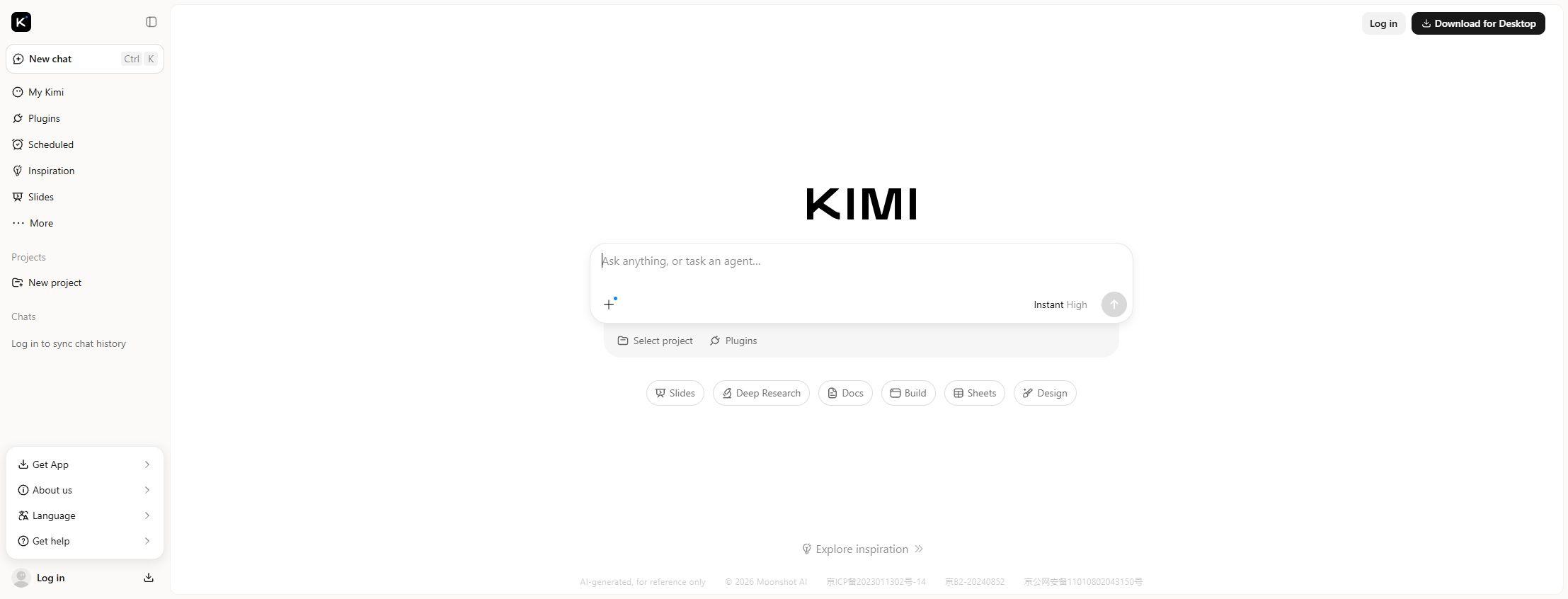
Kimi is Moonshot AI’s assistant for chat, research and creating files. Alongside ordinary conversations, its workspace has dedicated Docs, Sheets, Slides and Deep Research tools. These turn prompts and uploaded material into reports, spreadsheets and presentations that can be edited outside Kimi.
Docs creates and revises Word documents, including edits to uploaded files. Sheets works with Excel and CSV data and exports Excel files. Slides generates presentations from a topic, text or reference files, with online editing and downloadable PowerPoint decks.
Deep Research produces a cited written report and a separate interactive HTML visualisation. The report can be exported to Word or PDF; the visual version can be shared by link. This gives you both a document to circulate and a browser-based way to explore the findings.
Kimi Work extends the assistant to Windows and Apple Silicon Macs. It can work with folders you permit and use the browser extension for web tasks. Its Ask Before Acting setting adds confirmation before actions such as overwriting files or running code. Scheduled desktop tasks require the computer to stay awake.
Membership features share credits rather than each having an independent allowance. Research, office work and agent tasks compete for that pool. The international offer has free Adagio and paid Plus, Pro, Max and Ultra plans; regional tiers differ. Developer API usage is billed separately.
Best for
- Researchers producing cited reports
- Professionals creating editable office files
- People turning source documents into presentations
Limitations
Research, documents and agent tasks share credits, and unused monthly credits expire. Desktop schedules depend on an awake computer. The 1M-token option belongs to specific K3 Extra Long plans.
Kimi features
Word and Excel outputs
Docs creates and revises Word files, while Sheets analyses Excel and CSV data. Downloadable .docx and .xlsx files can be edited in office software; PDF output is also available.
Editable PowerPoint decks
Slides builds presentations from prompts or reference files. Smart Layout generates layouts and styles; Classic Templates uses prepared designs. A custom PPTX can supply your own template, and the finished deck can be edited online or exported.
Research reports and visuals
Deep Research searches online sources and links its findings to evidence. Written reports export to Word or PDF, while interactive HTML visualisations can be shared by link.
Parallel agent tasks
Membership determines how many tasks can run concurrently. Swarm supports parallel subtasks for larger assignments, drawing from the same credit pool as other agent features.
Local files and browser tasks
Kimi Work acts on permitted folders on Windows and Apple Silicon Macs, with browser tasks through its extension. Ask Before Acting requests confirmation for actions such as overwriting files and running code.
Projects and scheduled tasks
Projects keep related work together. Kimi Work can schedule recurring desktop tasks, with an option to keep the computer awake; project and task allowances depend on membership.
Long context and developer access
The international offer checked 4 October 2026 listed K3 Extra Long context up to 1M tokens on Max and Ultra. Kimi Code serves development tasks, and the separate API provides programmatic model access.
Kimi pricing
Kimi has a free Adagio tier. The international offer checked 4 October 2026 starts at USD 19/month for Plus and USD 39/month for Pro, with higher Max and Ultra tiers and annual plans available. Research, office and agent features share credits that renew monthly and do not roll over. Regional prices and allowances differ; developer API usage is billed separately.
Example plans.
Plus — international
USD 19 / month
Kimi
Plan details
Monthly web offer; regional purchase eligibility and shared credits apply.
Pro — international
USD 39 / month
Kimi
Plan details
Monthly web offer; regional purchase eligibility and shared credits apply.
Max — international
USD 99 / month
Kimi
Plan details
Monthly web offer; regional purchase eligibility and shared credits apply.
Technical specifications
AI assistants
| Feature | Kimi |
|---|---|
| File inputs | Docs and Sheets accept Word, PDF, Excel and CSV material; Slides also accepts PPTX, text and images.Office task features |
| Web search and citations | Deep Research produces a cited written report, Word or PDF exports and a separate shareable HTML visualisation.Asynchronous research tasks |
| Memory controls | Dream Memory is a plan-listed feature; availability follows the current membership offer.Plan-specific memory |
| Connected apps | Paid plans list plugins for professional financial and economic data. Kimi’s browser extension is a separate browsing surface.Plugins and supported surfaces |
| Usage limits | Shared agent credits; the international offer checked 4 October 2026 listed 1/2/2/2/4 concurrent tasks from Adagio through Ultra, with K3 Extra Long up to 1M tokens on Max and Ultra.Task concurrency and model-specific context |
| API access | SupportedSeparate developer platform |
Kimi alternatives
ChatGPT and Claude offer broad document and assistant features; Perplexity centres on sourced answers and web research.
Kimi FAQs
Is Kimi free?
Yes. The international offer checked 4 October 2026 includes free Adagio. Paid Plus, Pro, Max and Ultra plans add credits and capabilities. Free use has limits.
Can Kimi create editable office documents?
Yes. Docs can create and revise Word documents, and Sheets exports editable Excel files. Word, PDF, Excel and CSV material can be used as inputs for document or spreadsheet tasks.
Can Kimi export PowerPoint presentations?
Yes. Slides supports online editing and downloadable editable PPTX files for PowerPoint, WPS and Keynote. Smart Layout generates layouts and styles, while Classic Templates uses prepared designs. You can also upload a PPTX template.
What does Kimi Deep Research produce?
It produces a written report with source citations and a separate interactive HTML visualisation. The written report can be exported to Word or PDF, and the visualisation can be shared by link.
How do Kimi credits work?
Research, office and agent features share a credit pool, with consumption based on token use. Credits refresh monthly on the subscription cycle, including for annual memberships; unused credits expire. Kimi Code also has its own usage-window limits. Hosted Claw instances and published websites can continue to consume credits while active.
What is Kimi Work?
Kimi Work is the desktop agent for Windows and Apple Silicon Macs. It can use permitted local folders and a browser extension for web tasks. Ask Before Acting adds confirmation before actions such as overwriting files or running code. Scheduled desktop tasks need an awake computer.
Does every Kimi plan have a million-token context?
No. The international offer checked 4 October 2026 listed K3 Extra Long context up to 1M tokens on Max and Ultra. It is a model- and plan-specific option.
Does a Kimi membership pay for the API?
No. Developer API usage is billed separately by input and output tokens, with prices that vary by model and feature. Consumer membership credits and API billing are different arrangements.
Is this your product? Claim this page to update your listing.