

Looka
Looka review: AI logo design, brand kits and pricing
Explore Looka’s AI logo maker, Brand Kit templates, download formats and editing limits, with one-time logo packages and annual subscriptions explained.
Paid plansAccount required
- Access
- Paid access
- Available on
- Web, Mobile
A logo maker with matching business and social designs
Looka focuses on building a business identity. Start with a company name and visual preferences, explore logo designs, then adjust fonts, colours, symbols and layout. Creating, saving and previewing concepts is free. Downloading files for use on your website, packaging or marketing materials requires a paid package.
Logo-only packages suit businesses that already have the rest of their design tools. Basic supplies a single low-resolution PNG. Premium adds high-resolution PNG, EPS, SVG and PDF files, including transparent and monochrome versions. The vector formats make Premium the more useful option when a logo needs to scale across print and digital material.
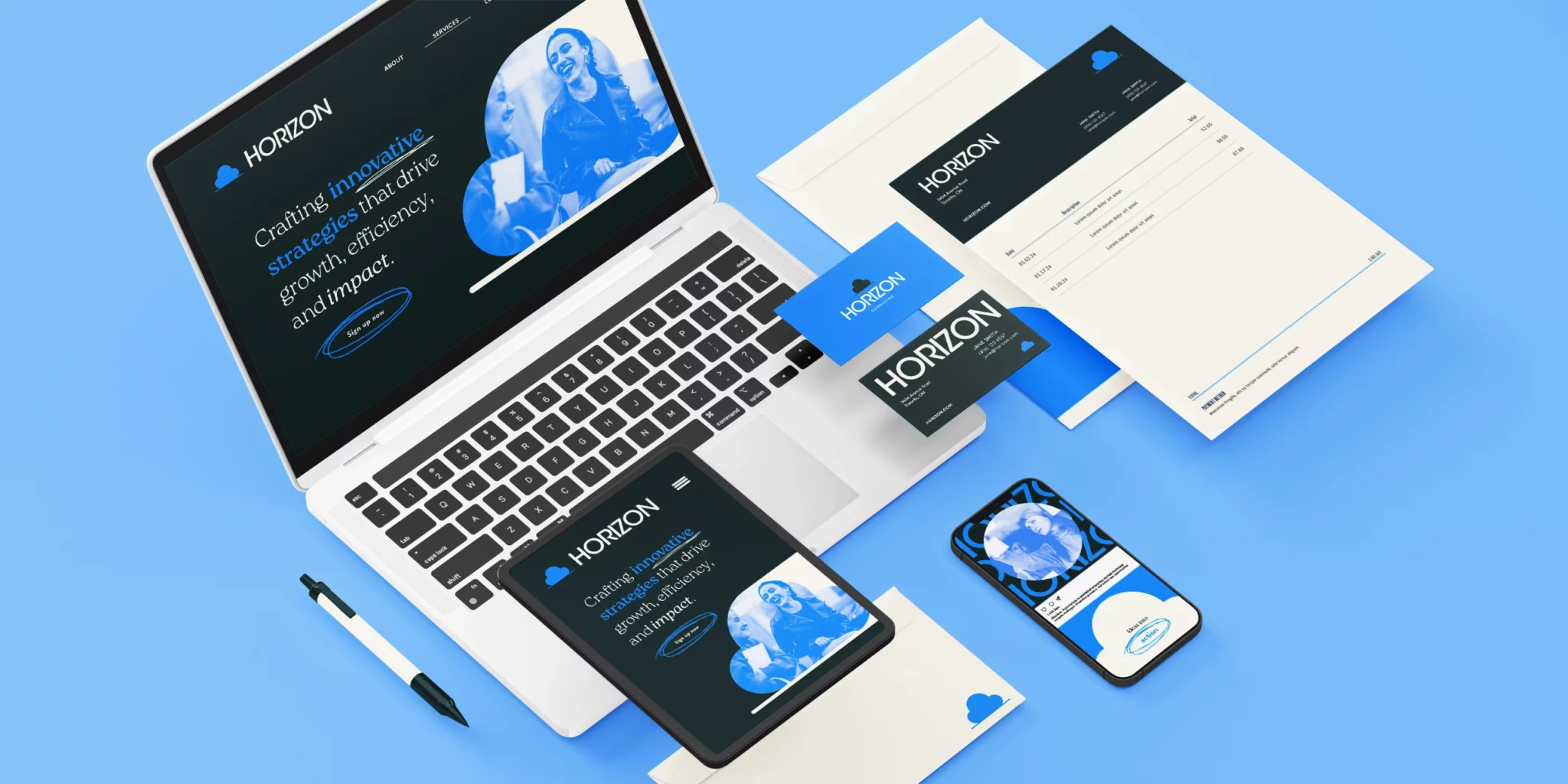
Brand Kit carries the chosen identity into more than 300 templates for social graphics, business cards, invoices, stationery and brand guidelines. You can also bring an existing logo. The desktop editor changes text, fonts, photos, colours and design elements; logo updates carry through to subscribed brand assets. Brand Kit Web adds an AI-generated website.
Mobile access works for simpler changes and downloads. You can change existing text, reposition or replace images and export PNG, JPG or PDF designs. Adding text boxes or shapes, changing font formatting and using stock images require the desktop editor. That makes mobile useful for finishing a saved design rather than replacing the full editing workspace.
After purchase, logo designs remain editable, but the company name is locked in the self-service editor. Looka offers one support-assisted name change for a typo or rebrand. Cancelling a Brand Kit retains access until the paid term ends; logo editing and the purchased logo rights remain afterwards. Looka permits commercial logo use, but its library icons and fonts are not exclusive. A purchase is not a registered trademark.
Best for
- Small businesses creating their first logo
- Founders who need matching business and social templates
- People buying downloadable logo files without a design subscription
Limitations
Basic is a PNG-only logo package. Transparent and vector files require Premium or the appropriate annual Brand Kit. Full design editing works best on desktop; company-name changes require support.
Looka features
AI logo design
Create logo options from your business name and design preferences, then customize fonts, colours, symbols and layout before buying.
Raster and vector logo files
Basic provides one low-resolution PNG. Premium includes high-resolution PNG, EPS, SVG and PDF, with transparent and monochrome versions for different backgrounds.
A matching Brand Kit
Use an existing or newly created logo across more than 300 templates, including business cards, social graphics, invoices and brand guidelines.
Desktop design controls
Edit text, fonts, images, colours and shapes. Upload your own photos or choose Unsplash images, and download designs including print-ready PDFs.
Mobile changes and exports
Change existing text, reposition or replace images, and export PNG, JPG or PDF. Adding elements and changing font formatting require the desktop editor.
Post-purchase logo editing
Change colours, fonts, spacing, symbols and layout after purchase. The company name stays locked; Looka support offers one name change for a typo or rebrand.
Optional website package
Brand Kit Web adds an AI-generated website to the annual brand subscription. Logo-only purchases remain separate one-time packages.
Looka pricing
Designing and previewing logos is free. Basic and Premium are one-time purchases for downloadable logo files; Premium includes vector and transparent versions. Brand Kit is an annual subscription for ongoing template access, and Brand Kit Web adds a website. Cancelling a Brand Kit ends future renewals while keeping access until the paid term ends; purchased logo rights and logo editing remain.
Technical specifications
Graphic design
| Feature | Looka |
|---|---|
| Design output types | Logo files; subscribed Brand Kit business cards, social graphics, stationery and guidelines. Web bundle adds a website. |
| Editable layers and layout | Logo fonts, colours, layout and symbols; company name locked after purchase, with one support-assisted change. Mobile brand editing is limited. |
| Export formats | Basic: one low-resolution PNG without transparent files. Premium: high-resolution PNG/EPS/SVG/PDF and transparent/monochrome variations. |
| Brand controls | 300+ automatically branded templates and guidelines; kit assets refresh after logo edits. Subscription covers one brand. |
| Commercial-use rights | Looka permits commercial use of a purchased complete logo. Individual library symbols/fonts are nonexclusive; purchase does not register a trademark. |
Looka alternatives
Kittl offers more manual graphic and typography controls; Canva and Adobe Express support broader visual content.
Looka FAQs
Is Looka free?
You can design, edit, preview and save logo concepts for free. Downloading usable logo files requires a paid package; ongoing Brand Kit template access requires a subscription.
Can I buy a Looka logo without a subscription?
Yes. Basic and Premium are one-time logo purchases. Brand Kit and Brand Kit Web are annual subscriptions for branded templates and, with Web, a website.
Does Looka include vector and transparent logo files?
Premium includes SVG, EPS and PDF alongside high-resolution PNG and transparent versions. Basic supplies one low-resolution PNG without a transparent background. Annual Brand Kit plans include transparent logo files; upgrading only to the monthly Brand Kit does not provide those files.
Can I use my own logo in Looka’s Brand Kit?
Yes. You can upload an existing logo or create one in Looka, then use it with matching brand templates. The Brand Kit editor supports your own photos and Unsplash images.
Can I change my business name after buying a Looka logo?
The company name is locked in the self-service editor after purchase. Looka offers one support-assisted change for a typo or rebrand. Other logo changes, such as colours, fonts, spacing and symbols, remain available in the editor.
Can I edit Looka Brand Kit designs on my phone?
You can change existing text, move or replace images, and export PNG, JPG or PDF designs. Adding or deleting design elements, formatting fonts and using stock images require the desktop editor.
What happens when I cancel a Looka Brand Kit?
Access continues until the current paid term ends, then Brand Kit access stops and future renewals end. You keep the purchased logo rights and logo editing. Cancellation does not automatically issue a refund.
Can I use a Looka logo commercially?
Looka permits commercial use of purchased logos. Its ownership statement covers the complete logo, while the library icons and fonts remain nonexclusive. Buying a logo does not register a trademark or guarantee exclusive rights to its individual elements.
Is this your product? Claim this page to update your listing.