

LANDR
Master a finished music mix
LANDR’s online mastering service processes a finished mix, with reference and album workflows, adjustable previews and paid format-specific downloads.
Paid plansAccount required
- Access
- Paid access
- Available on
- Web
What is LANDR?
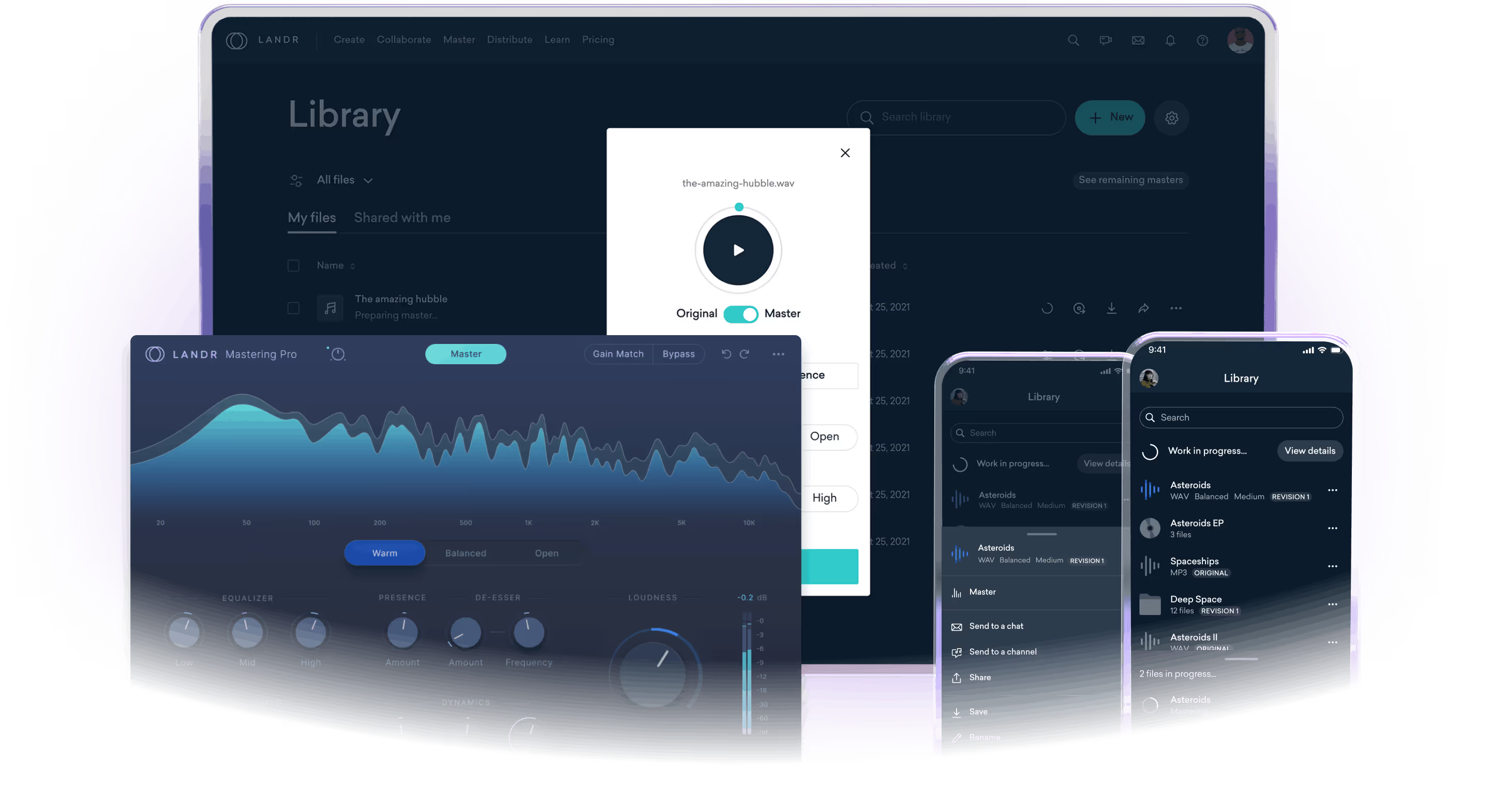
LANDR online mastering processes an existing finished mix. Upload a track, audition the preview and adjust style and intensity before selecting a downloadable master. Reference mastering uses a supplied track to guide the sound profile, while album mastering handles a set of songs.
A free preview and a complete download have different entitlements. The output format and eligible mastering credit determine what you can download; wider LANDR bundles do not define every online-mastering purchase.
Compare at matched playback loudness
Use volume matching to hear changes in tone, stereo image and dynamics without favouring a version simply because it is louder. If vocal or instrument balance is wrong, return to the source mix: this workflow processes the combined track. Listen on your own material before choosing the final direction.
Choose the output before using a credit
Complete MP3, WAV and HD WAV outputs require an eligible credit, and credits are format-specific. A WAV credit does not automatically cover HD WAV. The help guide allows a lower-format download from a purchased higher-format master, while an upgrade can require an additional master.
Check revision and bundle entitlements
The revision guide describes adjustments to an initial WAV or HD WAV master within a subscription without extra credits. That does not make every new track, changed input or format upgrade free. LANDR also sells distribution, plugins, samples and broader bundles; check the particular mastering plan and allowance you intend to use.
Best for
- Auditioning mastering for a finished music mix
- Reference and album mastering workflows
- Choosing a required MP3, WAV or HD WAV deliverable
Limitations
Free previews do not establish free full-length master downloads. Mastering credits are format-specific. Distribution, plugins and other LANDR products have separate plan entitlements.
LANDR features
Finished-mix mastering
Process a mixed track and audition a mastering preview.
Reference-guided sound
Use a reference track when developing the sound profile of a master.
Album workflow
Work with a set of tracks when preparing an album or EP.
Format-specific output
Create full MP3, WAV or HD WAV output using the relevant credit or plan entitlement.
Loudness-matched auditioning
Compare input and output at matched volume so a level increase does not dominate the decision. Revisit the source mix when the musical balance itself needs revision.
Revisions and format choices
Eligible subscription WAV/HD WAV revisions differ from a higher-format download or a new master. Check the exact credit and output requirement.
LANDR pricing
Free previews let you audition the mastering treatment. A complete MP3, WAV or HD WAV requires a matching format credit, single-master purchase or subscription entitlement. Compare the output format and number of downloadable masters in the current plan rather than assuming every LANDR bundle includes the same mastering allowance. Eligible subscription WAV/HD WAV Revisions are a separate benefit; a higher-format output can need another master. Check the selected plan’s current charge and billing period before purchase.
LANDR alternatives
Choose according to the audio task and the workflow you need to finish.
Auphonic
Auphonic suits speech balancing, podcast loudness and prepared parallel dialogue tracks.
Moises
Moises suits muting, isolating or practising a part in an existing song, before any final mastering stage.
LALAL.AI
LALAL.AI suits vocal or instrument extraction and defined cleanup tasks rather than mastering a combined music mix.
LANDR FAQs
Is LANDR mastering free?
You can audition a free preview. The current help guide requires an applicable credit, purchase or subscription entitlement for a complete downloadable master.
Can a WAV credit be used for HD WAV?
Not automatically. LANDR describes mastering credits as format-specific; choose the output that matches your credit or plan.
What is reference mastering?
It uses a supplied reference track to guide a master toward a related sound profile. It is still processing your existing finished mix.
Does LANDR separate a song into stems?
The online-mastering workflow described here finishes a mix. Use a stem-separation workflow such as Moises or LALAL.AI when extracting individual parts is the task.
Does a mastering plan include music distribution?
Not necessarily. LANDR offers distribution and other products separately or in bundles; check the exact purchase rather than assuming brand-wide access.
Why compare the original and master at matched volume?
A louder version can seem preferable simply because it is louder. LANDR’s volume-matching control makes it easier to compare tone, stereo width and dynamics while auditioning the mastering treatment.
Do I need another credit for a different output format?
The help guide says lower formats from a purchased higher-format master can be created without another master, while a higher format can require an additional one. Format-specific credit and subscription entitlements still apply.
Do Revisions use another mastering credit?
The Revisions guide says they do not cost extra credits when adjusting an initial WAV or HD WAV master under a subscription. That scope should not be extended to every remaster, changed source or format upgrade.
Is this your product? Claim this page to update your listing.