

Kommunicate
Kommunicate review: AI chatbots, live chat and pricing
Kommunicate review covering Kompose AI chatbots, live chat, knowledge sources, human handoff, conversation pricing and customer support alternatives.
Free trial availableAccount required
- Access
- Free trial available
- Example plan
- USD 40 / monthStarter — monthly
- Available on
- Web, Mobile, API
AI chatbots and live chat for customer support
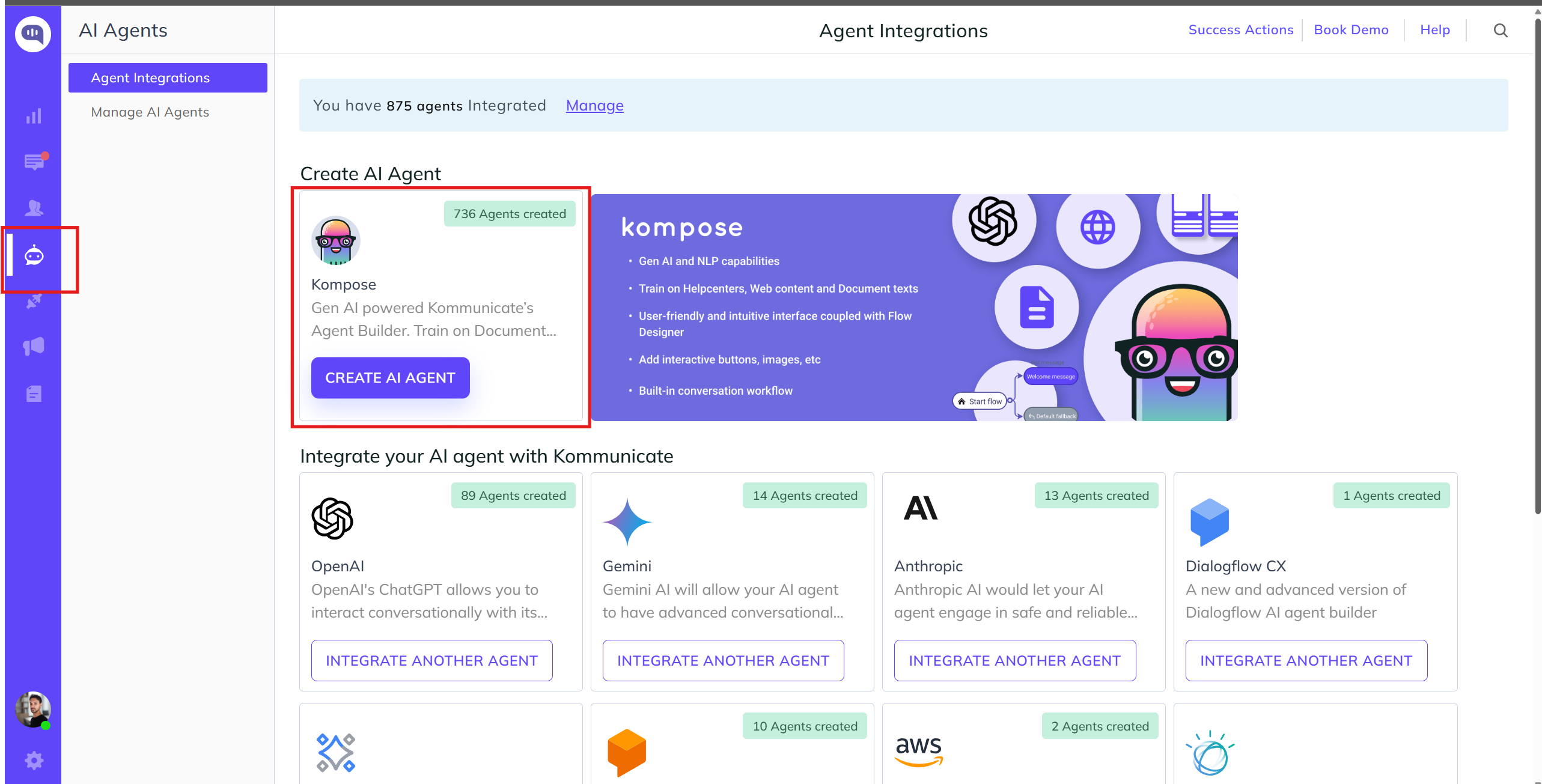
Kommunicate combines AI chatbots, live chat and assistance for human support agents. Its Kompose builder is the centre of the product: a visual Flow Designer for branching conversations, alongside settings for the agent’s identity, instructions, knowledge and fallback behaviour. It suits teams that want to handle routine questions through a chatbot while keeping human support in the same service operation.
Knowledge can come from website URLs, uploaded documents, help centres and predefined questions and answers. Supported document formats include PDF, CSV, DOCX, XLS, XLSX and TXT. Website pages behind a login are not accessible to the crawler, and scanned PDFs without selectable text may not train correctly. Connecting a source does not mean every page or document will be usable.
Kompose offers generative model options from OpenAI, Google Gemini and Anthropic. Agent instructions set tone, response length and boundaries. An optional web-search setting lets the agent answer beyond its trained business content, so an agent using that setting is not limited to the company knowledge base. Answer-source visibility can also be configured.
Visual flows support buttons, forms, quick replies and intent-driven paths. A webhook can call a business system to fetch information such as an order status and return a plain or rich response. These dynamic messages require a working backend endpoint, rather than becoming available just by drawing a flow. Kompose allows optional authentication headers and gives the webhook 30 seconds to respond.
Human handoff can follow a selected intent, an explicit request for a person or a fallback when the agent cannot recognise a question. Routing can target a particular team member or use the account’s assignment rules. An optional restriction prevents handoff when everyone is away or offline; the AI then remains active with an away message. That setting supports out-of-hours conversations but does not make a live support agent available.
Website widgets and mobile SDKs extend support across web and apps. Supported SDKs include iOS, Android, Flutter and React Native, with additional hybrid-app options. Starter lists WhatsApp, Telegram and Instagram integrations. Connected email support can answer routine enquiries from business knowledge, escalate unresolved threads and provide human agents with summaries, suggested replies and writing assistance. Voice and individual channel connections have their own setup and package requirements.
Professional adds API and webhook access, Zendesk and Freshdesk integrations, Google Analytics, AI summaries and Agent Assist. Salesforce, HubSpot and Zapier integrations, SSO and branding removal are listed under Enterprise. The platform includes conversation tagging, internal notes, routing and support metrics; advanced analytics are an Enterprise feature. Available tools and reporting therefore depend on the package.
Multilingual generative answers can respond in the language of a customer’s question without translating every source document first. Intent-based multilingual agents work differently: copied intents need their training phrases and replies translated. Browser or website language settings affect which version a visitor sees. These are useful options for international support, rather than a guarantee of equal accuracy in every language.
The subscription includes AI agents, human seats and a monthly conversation allowance. A conversation includes messages exchanged in one session, rather than counting only successfully resolved tickets. Starter includes 250 conversations and one year of chat history; Professional includes 2,000 conversations and two years of history. The message totals shown alongside those allowances are estimates, not separate message quotas. Extra agents, seats and conversation blocks, plus voice usage, affect the total cost.
Best for
- Small support teams combining AI chatbots and live chat
- Businesses providing website, mobile and messaging support
- Teams building visual flows around their own knowledge and services
Limitations
The allowance counts conversations, including sessions that need a human, rather than successful resolutions. Protected website content and scanned PDFs can limit knowledge ingestion. Webhooks require a backend and must respond within 30 seconds. Human availability, channel connections and integrations depend on configuration and plan; enabling web search also lets answers extend beyond company content.
Kommunicate features
Kompose visual builder
Build branching conversations with buttons, forms, intent rules and configurable agent instructions.
Website and document knowledge
Use public website pages, help centres, Q&A and supported documents; protected pages and scanned PDFs have ingestion limits.
Generative answers and optional web search
Choose supported model providers and configure response boundaries, sources and access to broader web answers.
Human handoff
Route requests and fallback questions to people, with separate behaviour when the whole team is away or offline.
Web and mobile support
Add a website widget or supported mobile SDK; messaging integrations depend on the channel and plan.
Email and Agent Assist
Answer connected email enquiries and help human agents with summaries, suggestions and writing tools on eligible packages.
API and dynamic messages
Connect business systems through configured endpoints; Kompose webhooks have a 30-second response timeout.
Support routing and reporting
Manage assignment, tags and internal notes, with support metrics and package-specific analytics.
Kommunicate pricing
Starter costs USD 40/month, or USD 34/month billed annually, for one AI agent, one human team member and 250 monthly conversations. Professional costs USD 200/month, or USD 167/month billed annually, for two AI agents, three team members and 2,000 conversations. Extra conversation blocks cost USD 15 per 1,000 on Starter or USD 10 on Professional. Additional agents and seats, voice usage and enterprise features cost extra. A 30-day trial is available without a credit card.
Example plans.
Starter — monthly
USD 40 / month
Kommunicate
Plan details
One AI agent, one team member and 250 conversations per month. Extra AI agents and human seats are USD 20 each per month. One year of chat history.
Starter — annual commitment
USD 34 / month
Kommunicate
Plan details
Monthly equivalent billed annually. One AI agent, one team member and 250 monthly conversations. Usage and additional agents or seats are separate.
Professional — monthly
USD 200 / month
Kommunicate
Plan details
Two AI agents, three team members and 2,000 monthly conversations. Extra AI agents and human seats are USD 30 each per month. Two years of chat history.
Technical specifications
Customer support
| Feature | Kommunicate |
|---|---|
| Agent or copilot workflow | Kompose combines visual conversation flows, knowledge-based answers and intent rules with live chat and connected email support.Configured agents and purchased features |
| Support channels | Website widgets, mobile SDKs and enabled messaging channels. Starter lists WhatsApp, Telegram and Instagram; email and voice depend on setup and package.Current plan list; channel integration requirements apply |
| Knowledge grounding | Website URLs, supported documents, help centres and Q&A. Protected pages are inaccessible; scanned PDFs may fail. Web search beyond company content is optional.Kompose agent configuration |
| Human handoff | Intent, request and fallback handoff follows configured assignment. The optional offline restriction keeps the AI active when the entire team is unavailable.Configured handoff and human availability |
| Resolution and usage accounting | Account subscription with conversation sessions, not successful resolutions. Additional agents, human seats and conversation blocks cost extra; Starter and Professional list voice at USD 0.06/minute.Current monthly and annual packages |
| API access | SupportedProfessional lists API and webhooks; custom integration availability follows the package |
Kommunicate alternatives
Tidio, Fin and Freshdesk offer other approaches to AI customer support, from website chat to automation inside a helpdesk.
Tidio Lyro
Website and messaging AI with conversation quotas and configured Actions and Procedures.
Kommunicate FAQs
What is Kommunicate?
Kommunicate is a customer support platform combining AI chatbots, live chat, connected email support and assistance for human agents. Kompose builds knowledge-based answers and visual conversation flows for websites, apps and enabled messaging channels.
How much does Kommunicate cost?
Starter is USD 40/month, or USD 34/month billed annually, for one AI agent, one human seat and 250 monthly conversations. Professional is USD 200/month, or USD 167/month billed annually, for two AI agents, three seats and 2,000 conversations. Extra blocks cost USD 15 or USD 10 per 1,000 conversations respectively. Enterprise is quoted separately.
Does Kommunicate have a free plan?
A 30-day trial is available without a credit card. Starter and Professional are paid subscriptions after the trial; a permanent free AI plan is not listed.
What counts as a conversation in Kommunicate?
A conversation includes all messages exchanged in a session. It is not a successful-resolution allowance. The approximate message totals shown on the plans are not separate quotas, and the public pricing FAQ does not set a universal session timeout.
What can a Kompose chatbot learn from?
Kompose supports website URLs, documents, help centres and intent Q&A, with connections for sources such as Zendesk and Salesforce knowledge bases. Documents can include PDF, CSV, DOCX, XLS, XLSX and TXT. Website pages behind a login are not accessible, and scanned PDFs without selectable text may not process correctly.
Can Kommunicate transfer a chat to a person?
Yes. Selected intents, a request for a human or an unanswered-question fallback can trigger handoff. Assignment follows the configured routing. If the optional offline restriction is enabled and the whole team is unavailable, the AI continues with an away message instead.
Does Kommunicate support APIs and webhooks?
Professional lists API and webhook access. Kompose dynamic-message webhooks call a configured backend and can return plain or rich responses, with optional authentication headers. The webhook must respond within 30 seconds; connecting it still requires the relevant business system and backend work.
What are the main Kommunicate alternatives?
Tidio combines website and messaging support with Lyro AI. Fin connects AI support to eligible helpdesks and bills qualifying outcomes. Freshdesk combines ticket management with separately scoped Freddy AI and Copilot features. Their channels, integrations and usage units differ from Kommunicate’s conversation-based subscription.
Is this your product? Claim this page to update your listing.